27.1 Chapter Objective
Chapter 26 created the first working AI-chat foundation.
Now we connect that prototype to real application infrastructure:
USER
 ↓
SIGN UP
 ↓
LOGIN
 ↓
SESSION
 ↓
DASHBOARD
 ↓
CHAT
 ↓
DATABASE
 ↓
CONVERSATION
 ↓
MESSAGE HISTORY
 ↓
AI
The goal is to make ACAI multi-user and persistent.
27.2 What This Chapter Adds
By the end of this chapter, ACAI should have the architecture for:
[✓] User accounts
[✓] Authentication
[✓] Sessions
[✓] Protected pages
[✓] Protected APIs
[✓] Database
[✓] User ownership
[✓] Projects
[✓] Conversations
[✓] Messages
[✓] Persistent chat history
[✓] Logout
[✓] Authorization checks
27.3 Database Choice
For the application layer, a relational database is a strong starting point.
Conceptually:
ACAI
 ↓
ORM / DATABASE CLIENT
 ↓
POSTGRESQL
A managed PostgreSQL service can be used in development and production.
The exact provider can be selected later.
27.4 ORM Layer
Instead of writing raw database queries throughout the application, use a consistent database access layer.
Architecture:
API
 ↓
SERVICE
 ↓
ORM / DATABASE CLIENT
 ↓
POSTGRESQL
This keeps database logic organized.
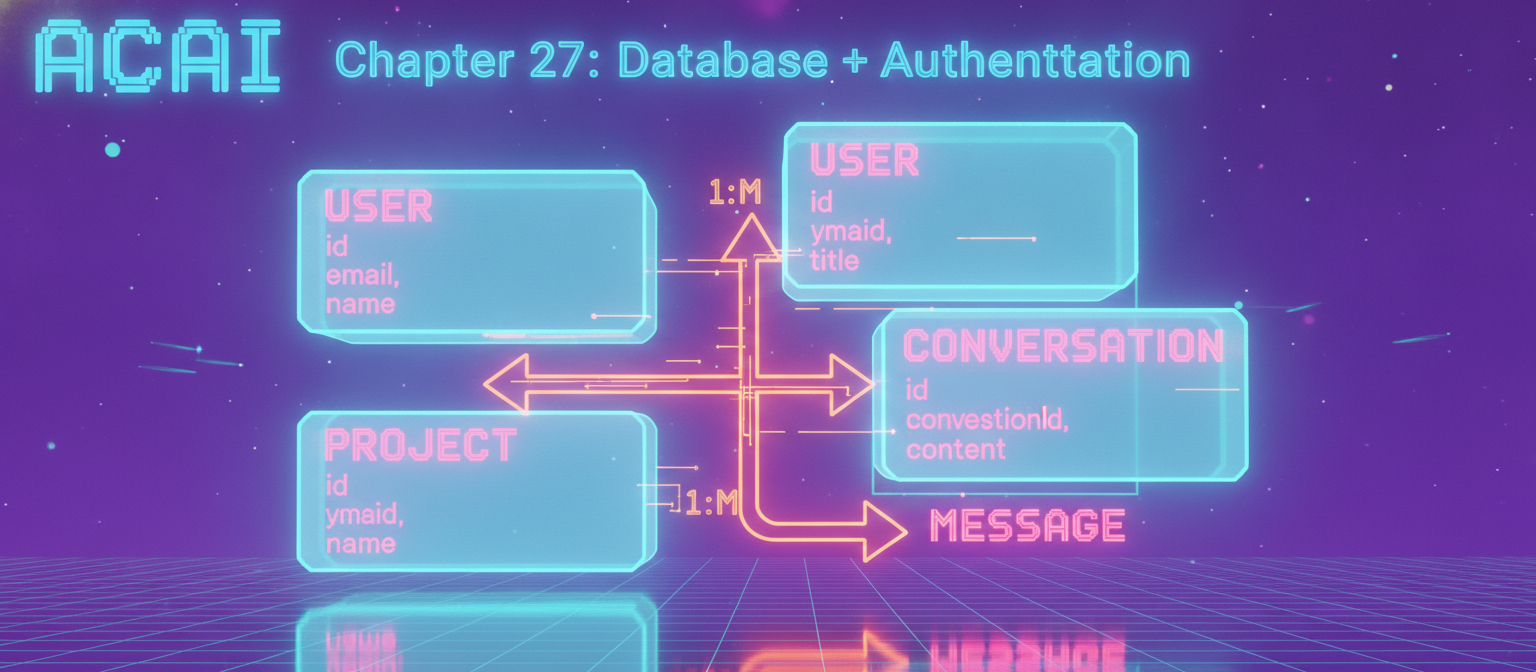
27.5 Database Models
The first database version needs:
User
Project
Conversation
Message
Later models can include:
File
Generation
Job
Usage
AuditEvent
Subscription
27.6 User Table
Conceptual structure:
User
--------------------------------
id
email
name
role
status
createdAt
updatedAt
Example roles:
USER
ADMIN
More roles can be introduced if required.
27.7 Project Table
Project
--------------------------------
id
userId
name
description
createdAt
updatedAt
Relationship:
USER
 │
 ├── PROJECT 1
 ├── PROJECT 2
 └── PROJECT 3
27.8 Conversation Table
Conversation
--------------------------------
id
userId
projectId
title
createdAt
updatedAt
Relationship:
PROJECT
 │
 ├── Conversation A
 ├── Conversation B
 └── Conversation C
27.9 Message Table
Message
--------------------------------
id
conversationId
role
content
createdAt
Roles:
USER
ASSISTANT
SYSTEM
Additional message metadata can be introduced later.
27.10 Complete Database Relationship
USER
 │
 ├──────────────┐
 ▼              ▼
PROJECT      CONVERSATION
 │              │
 │              └──────► MESSAGE
 │
 └──────────────► CONVERSATION
The exact relationship should enforce the intended ownership rules.
27.11 User Ownership
Every private resource must belong to the correct user.
For example:
User A
 └── Conversation A

User B
 └── Conversation B
User A must not be able to retrieve:
Conversation B
by simply changing an ID.
27.12 Authentication Architecture
Authentication becomes:
USER
 ↓
SIGN UP / LOGIN
 ↓
AUTH PROVIDER
 ↓
SESSION
 ↓
ACAI
The application does not need to implement cryptographic authentication from scratch.
Use a mature authentication solution compatible with the selected Next.js architecture.
27.13 Registration Flow
The signup process:
SIGN UP
 ↓
VALIDATE INPUT
 ↓
CHECK ACCOUNT
 ↓
CREATE USER
 ↓
CREATE SESSION
 ↓
REDIRECT
 ↓
DASHBOARD
27.14 Login Flow
EMAIL / AUTH METHOD
 ↓
AUTHENTICATE
 ↓
CREATE SESSION
 ↓
DASHBOARD
If authentication fails:
INVALID CREDENTIALS
 ↓
USER-FRIENDLY ERROR
Do not expose unnecessary information about whether a particular account exists.
27.15 Logout
USER
 ↓
LOGOUT
 ↓
SESSION REVOKED / INVALIDATED
 ↓
PUBLIC PAGE
After logout, private API requests must no longer be authorized through that session.
27.16 Session
A session connects the authenticated browser to the authenticated user.
Conceptually:
SESSION
 ├── userId
 ├── expiration
 └── security metadata
The application should use secure session handling appropriate to the chosen authentication framework.
27.17 Protected Dashboard
The dashboard should require authentication.
OPEN /dashboard
       │
       ▼
   AUTH CHECK
       │
   ┌───┴────┐
   ▼        ▼
 LOGGED    NOT LOGGED
   │          │
   ▼          ▼
DASHBOARD   LOGIN
27.18 Protected API
The same rule applies to APIs.
POST /api/chat
       │
       ▼
SESSION CHECK
       │
 ┌─────┴─────┐
 ▼           ▼
VALID       INVALID
 ▼           ▼
PROCESS     401
The frontend cannot be the only protection.
27.19 Authorization
Authentication answers:
WHO ARE YOU?
Authorization answers:
WHAT ARE YOU ALLOWED TO DO?
Example:
USER
 ↓
REQUEST PROJECT
 ↓
CHECK PROJECT OWNER
 ↓
AUTHORIZED?
 ├── YES → CONTINUE
 └── NO → DENY
27.20 Database Access Layer
Create a centralized database module.
Conceptually:
src/lib/db/
The application services use it:
API
 ↓
SERVICE
 ↓
DB MODULE
 ↓
DATABASE
Do not create a new database connection unnecessarily for every request.
Use the database access pattern recommended for the selected runtime and deployment model.
27.21 Database Environment
The database connection belongs in server-side environment configuration.
Conceptually:
DATABASE_URL=...
Do not expose the database connection string to the browser.
27.22 Migration System
Database structure will change over time.
Use migrations:
SCHEMA
 ↓
MIGRATION
 ↓
DATABASE
Example evolution:
Version 1
User

Version 2
User + Project

Version 3
User + Project + Conversation

Version 4
Messages
This gives the database a reproducible history.
27.23 Seed Data
Development can use seed data.
Example:
DEVELOPMENT
 ↓
CREATE TEST USER
 ↓
CREATE TEST PROJECT
 ↓
CREATE TEST CONVERSATION
 ↓
CREATE TEST MESSAGES
Never accidentally use development seed credentials in production.
27.24 Signup Validation
The signup endpoint should validate:
Email
Password if applicable
Name
Required fields
Example rules:
Email
 ↓
valid format?

Password
 ↓
meets minimum requirements?

Name
 ↓
valid length?
27.25 Duplicate Accounts
If an email is already associated with an account, handle the situation through the authentication system's intended behavior.
Avoid leaking unnecessary account-existence information through overly specific error messages.
27.26 Password Handling
If password-based authentication is implemented:
PASSWORD
 ↓
SECURE HASH
 ↓
DATABASE
Never:
PASSWORD
 ↓
PLAIN TEXT DATABASE
Do not invent a custom hashing algorithm.
Use the authentication framework or a well-established password hashing mechanism.
27.27 Email Verification
For public production applications, email verification can be added:
SIGN UP
 ↓
VERIFICATION EMAIL
 ↓
USER CLICKS
 ↓
ACCOUNT VERIFIED
Whether verification is mandatory depends on the application's requirements.
27.28 Password Reset
A production account system should provide a secure recovery process:
FORGOT PASSWORD
 ↓
VERIFY USER
 ↓
TIME-LIMITED RESET FLOW
 ↓
NEW PASSWORD
 ↓
OLD SESSION HANDLING
Never send passwords through email.
27.29 Dashboard User Data
Once authenticated:
SESSION
 ↓
USER ID
 ↓
DATABASE
 ↓
USER DATA
 ↓
DASHBOARD
The dashboard can display:
User name
Recent conversations
Projects
Recent generations
Usage
27.30 Create a Project
The flow:
DASHBOARD
 ↓
NEW PROJECT
 ↓
PROJECT NAME
 ↓
API
 ↓
AUTH
 ↓
DATABASE
 ↓
PROJECT CREATED
The server must associate the new project with the authenticated user's ID.
27.31 Create a Conversation
PROJECT
 ↓
NEW CHAT
 ↓
CREATE CONVERSATION
 ↓
DATABASE
 ↓
CHAT PAGE
The conversation should automatically inherit the correct user ownership.
27.32 Send a Message
Now the earlier chat system becomes:
USER
 ↓
CHAT UI
 ↓
AUTHENTICATED API
 ↓
LOAD CONVERSATION
 ↓
CHECK OWNERSHIP
 ↓
SAVE USER MESSAGE
 ↓
AI GATEWAY
 ↓
MODEL
 ↓
SAVE ASSISTANT MESSAGE
 ↓
RETURN
This is the first important persistent AI workflow.
27.33 Message Persistence
Before:
USER
 ↓
AI
 ↓
SCREEN
After:
USER
 ↓
DATABASE
 ↓
AI
 ↓
DATABASE
 ↓
SCREEN
The conversation survives refreshes and future sessions.
27.34 Loading Conversation
When opening:
/chat/abc123
the server should:
SESSION
 ↓
USER ID
 ↓
CONVERSATION ID
 ↓
OWNERSHIP CHECK
 ↓
LOAD MESSAGES
 ↓
DISPLAY
If the conversation does not belong to the user:
403 / NOT FOUND
according to the application's chosen authorization/error strategy.
27.35 Chat URL Design
A scalable structure can be:
/chat
for the chat landing page and:
/chat/[conversationId]
for a specific conversation.
Conceptually:
/chat
   │
   ├── New conversation
   │
   └── Recent conversations

/chat/abc123
   │
   └── Conversation abc123
27.36 Conversation Sidebar
The interface can become:
┌─────────────────────────────────────────────┐
│ ACAI                                        │
├───────────────┬─────────────────────────────┤
│ Conversations │ Conversation                │
│               │                             │
│ + New Chat    │ User: Hello                 │
│               │ AI: Hello!                  │
│ Project A     │                             │
│ Project B     │ User: Explain AI            │
│ Project C     │ AI: ...                     │
│               │                             │
├───────────────┴─────────────────────────────┤
│ Ask ACAI...                         [Send]  │
└─────────────────────────────────────────────┘
27.37 Message Ordering
Messages should have a reliable ordering mechanism.
Typical approach:
createdAt
or another sequence field.
Then:
MESSAGE 1
MESSAGE 2
MESSAGE 3
...
always appears in the intended order.
27.38 System Messages
Some model workflows may require system instructions.
These should be separated conceptually from user-generated messages.
SYSTEM
 ↓
USER
 ↓
ASSISTANT
System instructions should not be editable through ordinary user message controls.
27.39 Conversation Context
When generating a response:
DATABASE
 ↓
RECENT MESSAGES
 ↓
CONTEXT BUILDER
 ↓
AI GATEWAY
 ↓
MODEL
Do not blindly send unlimited conversation history.
27.40 Context Window Management
Long conversations eventually exceed the model's context capacity.
Possible strategy:
OLD MESSAGES
 ↓
SUMMARY
 ↓
RECENT MESSAGES
 ↓
MODEL
This can later connect to ACAI memory.
27.41 Database Query Pattern
A secure conceptual query is:
Find conversation where:
    conversation.id = requestedId
    AND conversation.userId = authenticatedUserId
Not:
Find conversation where:
    conversation.id = requestedId
The second pattern can create an authorization vulnerability if ownership is checked elsewhere incorrectly.
27.42 User Isolation
The complete security boundary is:
REQUEST
 ↓
SESSION
 ↓
USER ID
 ↓
RESOURCE QUERY
 ↓
OWNER CHECK
 ↓
RESOURCE
This pattern should be repeated for:
Projects
Conversations
Messages
Files
Generations
Usage
27.43 Database Transactions
Some operations involve multiple writes.
Example:
CREATE CONVERSATION
+
CREATE FIRST MESSAGE
A transaction can keep related writes consistent.
Conceptually:
BEGIN
 ↓
WRITE A
 ↓
WRITE B
 ↓
COMMIT
If something fails:
ROLLBACK
27.44 Chat Failure Handling
Suppose:
USER MESSAGE SAVED
 ↓
AI PROVIDER FAILS
Do not pretend the assistant generated an answer.
Instead:
USER MESSAGE
 ↓
AI ERROR
 ↓
CONTROLLED FAILURE STATE
The database can record the failed generation if useful.
27.45 AI Usage Record
Each request can eventually create:
Usage
----------------
id
userId
model
provider
inputTokens
outputTokens
latency
createdAt
This allows:
Usage tracking
Quotas
Cost estimation
Analytics
27.46 Request Lifecycle
The complete persistent chat flow is now:
1. USER OPENS CHAT
        ↓
2. SESSION VERIFIED
        ↓
3. CONVERSATION LOADED
        ↓
4. USER WRITES MESSAGE
        ↓
5. API REQUEST
        ↓
6. AUTHORIZATION
        ↓
7. VALIDATION
        ↓
8. SAVE USER MESSAGE
        ↓
9. AI GATEWAY
        ↓
10. MODEL
        ↓
11. SAVE ASSISTANT MESSAGE
        ↓
12. SAVE USAGE
        ↓
13. RETURN RESPONSE
        ↓
14. DISPLAY
27.47 Protected Route Architecture
PUBLIC
├── /
├── /login
└── /signup

PRIVATE
├── /dashboard
├── /chat
├── /documents
├── /image
├── /video
└── /settings
The actual routing structure can vary, but the security boundary should remain explicit.
27.48 Settings Page
The first settings page can contain:
Account
Security
Appearance
AI Preferences
Usage
Later:
Billing
API Keys
Integrations
Privacy
27.49 Account Settings
Example:
Name
Email
Profile
Account status
Sensitive changes should require appropriate re-authentication or verification depending on the operation.
27.50 User Roles
Initial:
USER
Later:
USER
ADMIN
MODERATOR
ORGANIZATION_ADMIN
Do not give ordinary users administrative permissions.
27.51 Admin Authorization
Admin API:
REQUEST
 ↓
AUTH
 ↓
ROLE CHECK
 ↓
ADMIN?
 ├── YES → CONTINUE
 └── NO → DENY
The frontend hiding an admin button is not security.
The backend must enforce the role.
27.52 Authentication + AI
The AI API should know:
userId
This allows:
Usage tracking
Conversation ownership
Rate limiting
Quota
Personalization
Audit
27.53 User-Specific AI Limits
Example:
USER
 ↓
QUOTA CHECK
 ↓
Remaining quota?
 ├── YES → AI
 └── NO → LIMIT RESPONSE
The exact limits can be configured later.
27.54 Rate Limiting
Authentication and chat endpoints can have separate limits.
Example conceptual policy:
LOGIN
 ↓
strict rate limit

CHAT
 ↓
usage-aware rate limit

UPLOAD
 ↓
size + frequency limit
Do not use one global limit for every operation.
27.55 Database Backup
Production data should have a backup strategy.
DATABASE
 ↓
BACKUP
 ↓
SECURE STORAGE
Backups should also be protected.
A backup containing user data is itself sensitive data.
27.56 Database Migration Safety
Before production migration:
BACKUP
 ↓
TEST MIGRATION
 ↓
STAGING
 ↓
VERIFY
 ↓
PRODUCTION
Avoid testing an unverified schema migration directly against the production database.
27.57 Authentication Testing
Test:
[ ] Signup works
[ ] Login works
[ ] Logout works
[ ] Invalid login rejected
[ ] Private page protected
[ ] Private API protected
[ ] Session expires correctly
[ ] User cannot access another user's resource
27.58 Database Testing
Test:
[ ] User creation
[ ] Project creation
[ ] Conversation creation
[ ] Message creation
[ ] Message retrieval
[ ] Ownership checks
[ ] Delete behavior
[ ] Migration
27.59 End-to-End User Test
The complete test:
1. Open ACAI
        ↓
2. Create account
        ↓
3. Login
        ↓
4. Open dashboard
        ↓
5. Create project
        ↓
6. Create chat
        ↓
7. Send "Hello"
        ↓
8. AI responds
        ↓
9. Refresh page
        ↓
10. Conversation remains
        ↓
11. Logout
        ↓
12. Private page is blocked
If this entire sequence succeeds:
✓ AUTH
✓ DATABASE
✓ CHAT
✓ PERSISTENCE
are working together.
27.60 Security Test — User Isolation
Create:
User A
User B
Then:
User A
 ↓
Conversation A
Attempt:
User B
 ↓
Conversation A
Expected:
ACCESS DENIED
This is one of the most important tests in the entire application.
27.61 Development Database
During development, use a separate database/environment.
DEVELOPMENT
     ≠
PRODUCTION
Never test destructive migration experiments against real production data.
27.62 Production Database
Production:
ACAI SERVER
 ↓
PRODUCTION DATABASE
should have:
Backups
Monitoring
Access controls
Secure credentials
Migration process
Recovery plan
27.63 Current ACAI Architecture
After Chapter 27:
                         ACAI
                           │
            ┌──────────────┴──────────────┐
            ▼                             ▼
       AUTHENTICATION                 FRONTEND
            │                             │
            ▼                             ▼
          SESSION                       CHAT
            │                             │
            └──────────────┬──────────────┘
                           ▼
                         API
                           │
                    ┌──────┴──────┐
                    ▼             ▼
                 DATABASE      AI GATEWAY
                    │             │
                    ▼             ▼
             CONVERSATIONS      MODEL
                    │
                    ▼
                 MESSAGES
27.64 What ACAI Can Do Now
With this architecture, the platform can support:
User account
      ↓
Login
      ↓
Dashboard
      ↓
Project
      ↓
Conversation
      ↓
Persistent messages
      ↓
AI response
This is a major milestone because ACAI is now structured as a real multi-user application rather than only a local demo.
27.65 What Comes Next
The next major problem is file and document infrastructure.
We need:
USER
 ↓
UPLOAD FILE
 ↓
VALIDATE
 ↓
STORAGE
 ↓
DATABASE
 ↓
PROCESSING
Then:
DOCUMENT
 ↓
TEXT EXTRACTION
 ↓
CHUNKING
 ↓
EMBEDDINGS
 ↓
VECTOR DATABASE
Then:
USER QUESTION
 ↓
RAG
 ↓
AUTHORIZED DOCUMENT CONTEXT
 ↓
AI
27.66 Chapter 28 Preview
Chapter 28 — User Dashboard + Conversation History + Projects + File Upload + Secure Object Storage
The next chapter will connect the user-facing application more deeply:
LOGIN
 ↓
DASHBOARD
 ↓
PROJECTS
 ↓
CONVERSATIONS
 ↓
HISTORY
 ↓
FILE UPLOAD
 ↓
STORAGE
 ↓
FILE RECORD
The chapter after that will begin turning uploaded files into searchable AI knowledge.
27.67 Chapter 27 Success Criteria
[✓] PostgreSQL architecture
[✓] Database layer
[✓] User model
[✓] Project model
[✓] Conversation model
[✓] Message model
[✓] Authentication architecture
[✓] Signup flow
[✓] Login flow
[✓] Logout flow
[✓] Session architecture
[✓] Protected pages
[✓] Protected APIs
[✓] Authorization
[✓] User ownership
[✓] Conversation persistence
[✓] Message persistence
[✓] Usage tracking foundation
[✓] Rate-limit foundation
[✓] Database migrations
[✓] Backup strategy
[✓] User isolation testing
[✓] End-to-end account test
27.68 Final Result
The ACAI request now has a real identity and persistence layer:
USER
 ↓
AUTHENTICATION
 ↓
SESSION
 ↓
AUTHORIZED API
 ↓
DATABASE
 ↓
CONVERSATION
 ↓
AI GATEWAY
 ↓
MODEL
 ↓
DATABASE
 ↓
USER
This means the application can now remember who the user is, which projects belong to them, which conversations belong to them, and what messages have already been exchanged.
That foundation is necessary before building secure document intelligence, RAG, agents, and advanced media workflows.
END OF CHAPTER 27


Comments
Post a Comment