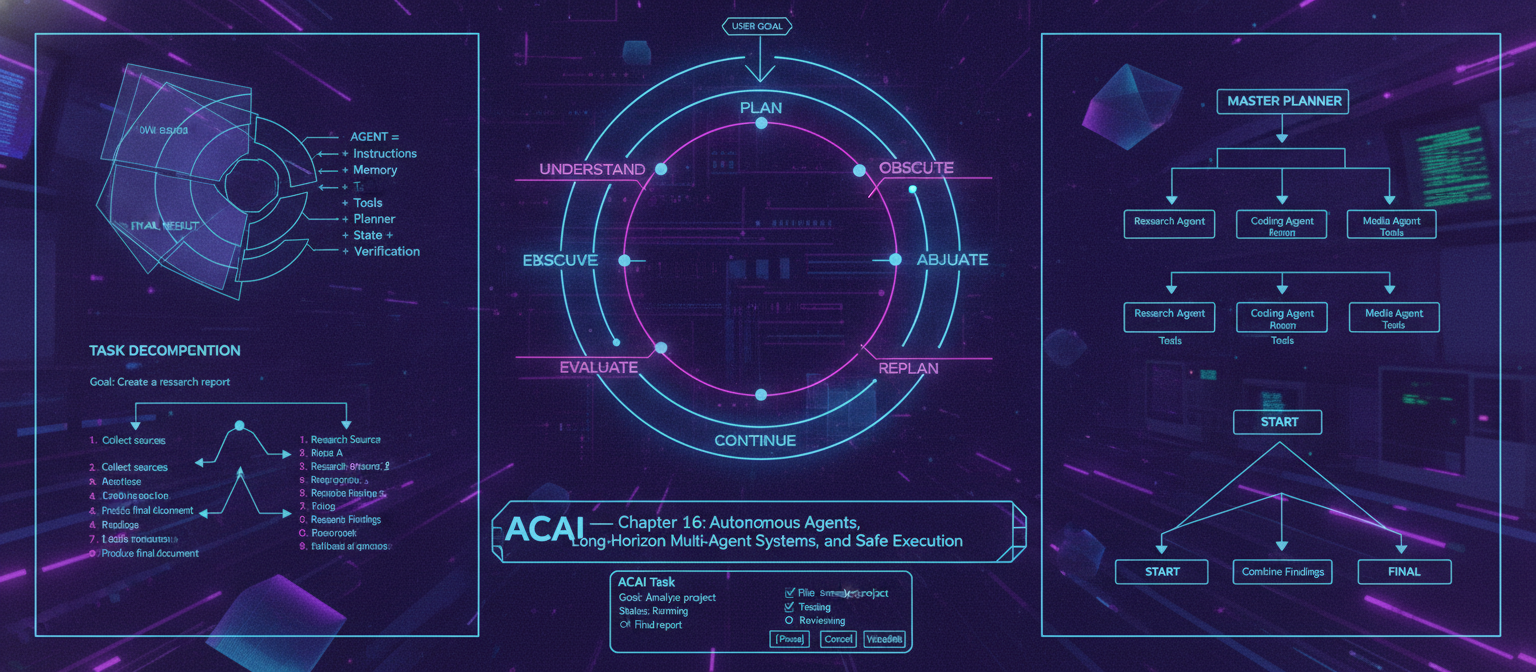
16.1 Objective
A normal AI assistant generally follows:
User
 ↓
Model
 ↓
Answer
An agentic AI system is different:
User Goal
   ↓
Understand
   ↓
Plan
   ↓
Execute
   ↓
Observe
   ↓
Evaluate
   ↓
Adjust
   ↓
Continue
   ↓
Verify
   ↓
Final Result
The purpose of ACAI's agent layer is to allow the system to complete multi-step tasks while maintaining clear boundaries around tools, permissions, safety, and human approval.
16.2 What Is an AI Agent?
An agent can be represented conceptually as:
AGENT =
Model
+
Instructions
+
Memory
+
Tools
+
Planner
+
State
+
Verification
The model provides intelligence, while the surrounding system provides the mechanisms needed to perform actions.
16.3 Basic Agent Loop
The fundamental loop is:
┌──────────────┐
│ Understand   │
└──────┬───────┘
       ↓
┌──────────────┐
│ Plan         │
└──────┬───────┘
       ↓
┌──────────────┐
│ Execute      │
└──────┬───────┘
       ↓
┌──────────────┐
│ Observe      │
└──────┬───────┘
       ↓
┌──────────────┐
│ Evaluate     │
└──────┬───────┘
       │
       ├── Success → Finish
       │
       └── Failure → Replan
This loop is the foundation of agentic execution.
16.4 Agent State
An agent should maintain explicit state rather than relying entirely on conversational context.
Example:
{
  "task_id": "task_001",
  "goal": "Analyze the supplied research documents",
  "status": "running",
  "current_step": 3,
  "completed_steps": [
    "collect_documents",
    "extract_text"
  ],
  "pending_steps": [
    "compare_sources",
    "generate_report"
  ]
}
State allows long-running tasks to resume after interruptions.
16.5 Task Decomposition
Large goals should be divided into smaller tasks.
Example:
Goal:
Create a research report.

        ↓

1. Collect sources
2. Read documents
3. Extract evidence
4. Compare information
5. Identify contradictions
6. Organize findings
7. Draft report
8. Verify claims
9. Produce final document
This is task decomposition.
16.6 Planner
The planner converts a goal into an executable plan.
USER GOAL
   ↓
PLANNER
   ↓
TASK GRAPH
   ↓
EXECUTOR
A plan may be represented as:
{
  "goal": "Analyze documents",
  "steps": [
    {
      "id": "s1",
      "task": "Extract document text"
    },
    {
      "id": "s2",
      "task": "Retrieve relevant sections",
      "depends_on": ["s1"]
    },
    {
      "id": "s3",
      "task": "Compare evidence",
      "depends_on": ["s2"]
    }
  ]
}
16.7 Sequential Tasks
Some tasks must happen in order:
A
 ↓
B
 ↓
C
 ↓
D
Example:
Download
 ↓
Extract
 ↓
Analyze
 ↓
Report
The agent should not attempt C before B has succeeded.
16.8 Parallel Tasks
Some tasks can run simultaneously.
          ┌──► A ──┐
START ────┼──► B ──┼──► FINAL
          └──► C ──┘
Example:
Research Source A
Research Source B
Research Source C
       ↓
Combine Findings
Parallel execution can reduce total latency.
16.9 Dependency Graph
Complex plans can be represented as a directed graph:
A ──► C ──► E
     ▲
B ───┘

D ─────────► E
The execution engine determines which tasks are ready.
16.10 Long-Horizon Planning
A long task may involve dozens or hundreds of operations.
Instead of generating one enormous plan:
Entire task
 ↓
100 steps
the system can use hierarchical planning:
Main Goal
 ↓
Subgoal
 ↓
Tasks
 ↓
Actions
This makes plans easier to revise.
16.11 Hierarchical Agent Architecture
                    MASTER PLANNER
                          │
             ┌────────────┼────────────┐
             ▼            ▼            ▼
         Research       Coding       Media
           Agent         Agent        Agent
             │            │            │
             ▼            ▼            ▼
          Tools         Tools        Tools
The master planner coordinates specialized workers.
16.12 Specialized Agents
ACAI can define agents for different domains:
Research Agent
Coding Agent
Data Agent
Vision Agent
Document Agent
Testing Agent
Review Agent
Each agent can have:
Role
Instructions
Tools
Permissions
Model
Memory scope
Output schema
16.13 Research Agent
A research agent might execute:
Question
 ↓
Search
 ↓
Source Collection
 ↓
Document Analysis
 ↓
Evidence Extraction
 ↓
Cross-Check
 ↓
Research Summary
It should distinguish:
Source-supported fact
Inference
Unverified statement
16.14 Coding Agent
A coding agent might work as:
Requirement
 ↓
Inspect Project
 ↓
Plan Changes
 ↓
Edit Code
 ↓
Run Tests
 ↓
Analyze Errors
 ↓
Fix
 ↓
Run Tests Again
 ↓
Final Review
The agent should operate inside a controlled workspace.
16.15 Testing Agent
The testing agent can:
Run unit tests
Run integration tests
Inspect failures
Classify errors
Generate test cases
Report results
It should not be allowed to silently modify production systems merely because a test failed.
16.16 Review Agent
A separate reviewer can inspect the output:
Worker Agent
     ↓
Output
     ↓
Review Agent
     ↓
PASS / FAIL / REVISION
This creates a useful separation between generation and verification.
16.17 Multi-Agent System
A multi-agent system contains multiple specialized agents coordinated by an orchestrator.
                       ORCHESTRATOR
                            │
        ┌───────────────────┼───────────────────┐
        ▼                   ▼                   ▼
   RESEARCH AGENT      CODING AGENT       REVIEW AGENT
        │                   │                   │
        ▼                   ▼                   ▼
      TOOLS               TOOLS               TOOLS
        │                   │                   │
        └───────────────────┼───────────────────┘
                            ▼
                         RESULT
16.18 Agent Communication
Agents should communicate through structured messages rather than arbitrary free-form text whenever possible.
Example:
{
  "from": "research_agent",
  "to": "review_agent",
  "type": "evidence",
  "payload": {
    "claim": "Example claim",
    "source": "source_001"
  }
}
Structured communication makes the system easier to debug.
16.19 Shared Memory
Agents may share selected information:
Shared Memory
     │
 ┌───┼────┐
 ▼   ▼    ▼
A    B    C
But not every agent should have access to everything.
Use scoped access:
Global memory
Project memory
Task memory
Agent-private memory
16.20 Agent Memory
An agent's temporary memory might contain:
Current objective
Completed steps
Tool results
Intermediate findings
Errors
Pending actions
Long-term information can be stored separately in ACAI's memory system.
16.21 Tool Permissions
An agent should not automatically have unrestricted access to every tool.
Example:
Research Agent
 ├── Search ✓
 ├── Document Reader ✓
 ├── Database Read ✓
 └── Production Delete ✗
This follows the principle of least privilege.
16.22 Permission Levels
A simple permission model:
READ
WRITE
EXECUTE
ADMIN
More granular permissions are preferable for important systems.
For example:
database.read
database.write
files.read
files.write
deployment.execute
billing.read
16.23 Risk Classification
Not every action has the same risk.
Example:
Low Risk
 └── Read public document

Medium Risk
 └── Modify project file

High Risk
 └── Deploy production system

Critical
 └── Irreversible destructive action
The agent should require increasing levels of verification and authorization as risk increases.
16.24 Human Approval Gate
For sensitive actions:
Agent
 ↓
Proposed Action
 ↓
Risk Check
 ↓
Human Approval
 ↓
Execute
Example:
"Deploy this change to production?"

[Approve]
[Reject]
The agent should not bypass the approval mechanism.
16.25 Safe Execution
A safe agent architecture separates:
Planning
from:
Execution
The model can propose:
{
  "action": "send_email",
  "recipient": "example@example.com",
  "subject": "Report"
}
The execution layer then checks:
Is this tool allowed?
Is this recipient allowed?
Does the user have permission?
Does policy permit it?
Does this require approval?
Only after those checks should the tool execute.
16.26 Sandbox
Potentially risky code execution should occur in an isolated environment.
Conceptually:
Agent
 ↓
Sandbox
 ↓
Code
 ↓
Tests
 ↓
Results
The sandbox should restrict:
Filesystem
Network
Processes
Credentials
Resources
according to the task.
16.27 Credential Isolation
Never expose unrestricted credentials to a model.
Instead:
Agent
 ↓
Tool API
 ↓
Authorization Layer
 ↓
Credential Store
 ↓
External Service
The model receives the tool's controlled interface, not secret credentials.
16.28 Tool Gateway
A tool gateway centralizes execution:
AGENT
  ↓
TOOL GATEWAY
  ↓
AUTHORIZATION
  ↓
POLICY CHECK
  ↓
RATE LIMIT
  ↓
TOOL
  ↓
RESULT
This provides a central security boundary.
16.29 Action Validation
Before executing an action:
Validate:
✓ Tool exists
✓ Arguments valid
✓ Permission valid
✓ Resource valid
✓ Policy valid
✓ Approval valid if required
Then:
EXECUTE
16.30 Observation
After executing an action, the agent receives the result.
Example:
Action:
search(query)

Result:
5 documents found
The agent then decides:
Continue
Retry
Change strategy
Ask user
Stop
16.31 Retry Strategy
Not every failure should trigger the same retry.
Example:
Temporary network error
 ↓
Retry

Invalid arguments
 ↓
Correct arguments

Permission denied
 ↓
Do not blindly retry

Irreversible failure
 ↓
Stop / escalate
16.32 Retry Limits
Always establish limits.
Example:
{
  "max_attempts": 3,
  "backoff": "exponential"
}
Without limits, an agent may enter an infinite loop.
16.33 Agent Loop Protection
The execution engine should detect:
Repeated identical action
Repeated failed action
No progress
Circular planning
Excessive tool usage
Example:
A → B → A → B → A
This should trigger a stop condition.
16.34 Budget Controls
Every task can have budgets:
Time budget
Token budget
Tool-call budget
Compute budget
Financial budget
Example:
{
  "max_tool_calls": 25,
  "max_runtime_seconds": 600
}
The exact values should depend on the task.
16.35 Cost-Aware Agents
An agent should know that different tools have different costs.
For example:
Cheap Search
      ↓
Small Model
      ↓
Large Model only if necessary
This can reduce unnecessary spending.
16.36 Agent Planning with Model Routing
TASK
 ↓
CLASSIFIER
 ↓
Complexity
 │
 ├── Simple → Small Model
 │
 ├── Medium → Standard Model
 │
 └── Complex → Strong Model
The routing decision can also consider tool requirements.
16.37 Goal Verification
The agent should not stop merely because the final step executed successfully.
Instead:
Execution complete
 ↓
Goal verification
 ↓
Does result satisfy objective?
Example:
Task:
Generate a report with 10 sections.

Execution:
File created.

Verification:
Count sections.

Result:
8 sections.

Therefore:
FAIL → revise.
16.38 Verification Agent
A dedicated verifier can inspect:
Correctness
Completeness
Requirements
Formatting
Evidence
Safety
Architecture:
WORKER
 ↓
OUTPUT
 ↓
VERIFIER
 ├── PASS
 ├── REVISE
 └── ESCALATE
16.39 Critic-Worker Pattern
One agent produces the result.
Another evaluates it.
Worker
 ↓
Draft
 ↓
Critic
 ↓
Feedback
 ↓
Worker
 ↓
Improved Draft
This can be useful for complex generation tasks.
However, the critic itself is not guaranteed to be correct, so high-stakes results still require appropriate external validation.
16.40 Planner-Executor Pattern
A common architecture is:
Planner
 ↓
Plan
 ↓
Executor
 ↓
Observation
 ↓
Planner
 ↓
Next Action
This is more flexible than generating the entire execution sequence once.
16.41 Replanning
Suppose:
Plan:
A → B → C
but B fails.
The agent can calculate:
A → B FAILED
      ↓
Alternative Plan
      ↓
A → D → C
This is replanning.
16.42 Long-Running Tasks
Some tasks may take minutes or hours.
Architecture:
USER
 ↓
TASK CREATED
 ↓
QUEUE
 ↓
AGENT WORKER
 ↓
CHECKPOINT
 ↓
CONTINUE
 ↓
VERIFY
 ↓
RESULT
The user can receive progress updates rather than waiting for one synchronous request.
16.43 Task Checkpoints
A long task should periodically save:
Current plan
Completed tasks
Pending tasks
Tool results
Important intermediate outputs
If the worker crashes:
Checkpoint
 ↓
Resume
rather than restarting everything.
16.44 Agent Scheduler
Long-running agents need scheduling.
Conceptually:
Task Queue
    │
    ▼
Scheduler
    │
 ┌──┼──┐
 ▼  ▼  ▼
W1 W2 W3
The scheduler manages available workers.
16.45 Concurrent Agents
Multiple tasks can execute simultaneously:
Task A → Agent 1
Task B → Agent 2
Task C → Agent 3
But shared resources must be controlled.
Potential conflicts include:
Two agents editing the same file
Two agents modifying the same database record
Two agents deploying simultaneously
16.46 Resource Locking
For shared resources:
Agent A
 ↓
Acquire Lock
 ↓
Modify Resource
 ↓
Release Lock
This prevents certain race conditions.
16.47 Agent Conflict Resolution
If two agents produce conflicting conclusions:
Agent A → Finding A
Agent B → Finding B
       ↓
Conflict Detector
       ↓
Reviewer / Evidence Check
       ↓
Resolution
The system should preserve the conflicting evidence when the issue cannot be resolved automatically.
16.48 Multi-Agent Research Example
User:
"Analyze these five research papers and compare their conclusions."
System:
                    MASTER AGENT
                         │
          ┌──────────────┼──────────────┐
          ▼              ▼              ▼
      Research A     Research B     Research C
          │              │              │
          └──────────────┼──────────────┘
                         ▼
                    Comparator
                         │
                         ▼
                     Reviewer
                         │
                         ▼
                       Report
The architecture can scale the number of workers according to available resources.
16.49 Multi-Agent Coding Example
User Requirement
       ↓
Planner
       ↓
Architect Agent
       ↓
Coder Agent
       ↓
Testing Agent
       ↓
Security Review Agent
       ↓
Final Reviewer
       ↓
Result
Each stage should have a defined contract.
16.50 Agent Contract
Each agent should have:
{
  "name": "testing_agent",
  "purpose": "Run and analyze tests",
  "allowed_tools": [
    "test_runner",
    "file_reader"
  ],
  "output_schema": {
    "status": "string",
    "failures": "array"
  }
}
This makes agent behavior easier to control.
16.51 Agent Registry
ACAI can maintain:
Agent Registry
with records such as:
research_agent
coding_agent
vision_agent
document_agent
testing_agent
review_agent
Each record specifies:
Model
Tools
Permissions
Prompt
Version
Status
16.52 Agent Versioning
Agents should be versioned independently.
research-agent-v1
research-agent-v2
research-agent-v3
This allows regression testing.
16.53 Agent Observability
Every execution should record:
Task ID
Agent ID
Model version
Tool calls
Duration
Failures
Token usage
Cost
Final status
This makes debugging possible.
16.54 Agent Trace
A trace might look like:
Task 001
 │
 ├── Planner
 │     └── Plan created
 │
 ├── Research Agent
 │     ├── Search
 │     ├── Read
 │     └── Extract
 │
 ├── Reviewer
 │     └── PASS
 │
 └── Finalizer
       └── Report generated
A trace viewer can make this understandable to developers.
16.55 Agent Failure Categories
Common failures:
Planning failure
Tool failure
Permission failure
Retrieval failure
Reasoning failure
Loop failure
Timeout
Resource exhaustion
Verification failure
Each category should have a different recovery strategy.
16.56 Human Escalation
If the system cannot safely continue:
Agent
 ↓
Failure / uncertainty
 ↓
Human escalation
 ↓
User decision
 ↓
Agent continues
Examples:
Ambiguous instruction
Conflicting evidence
High-risk action
Missing permission
Irreversible action
16.57 User Control
The user should be able to:
Pause
Resume
Cancel
Inspect progress
Approve action
Reject action
Change objective
For long-running agents, this is particularly important.
16.58 Agent UI
A useful interface:
┌─────────────────────────────────────┐
│ ACAI Task                           │
├─────────────────────────────────────┤
│ Goal: Analyze project               │
│ Status: Running                     │
│                                     │
│ ✓ Planning                          │
│ ✓ File inspection                   │
│ ✓ Testing                           │
│ → Reviewing                         │
│ ○ Final report                      │
│                                     │
│ [Pause] [Cancel] [View Details]     │
└─────────────────────────────────────┘
This gives users visibility into long-running tasks.
16.59 Safe Autonomy Levels
Instead of one global "autonomous" switch, use levels.
LEVEL 0
Answer only

LEVEL 1
Suggest actions

LEVEL 2
Execute low-risk actions

LEVEL 3
Execute approved workflows

LEVEL 4
Long-running bounded autonomy
Higher levels require stronger controls.
16.60 Autonomy Boundaries
An agent should know:
What it may do
What it may not do
When it must ask
When it must stop
Example:
Allowed:
Read project files

Allowed:
Run tests

Requires approval:
Modify production configuration

Not allowed:
Access unrelated private resources
16.61 Policy Engine
The policy engine sits between the agent and tools:
AGENT
 ↓
POLICY ENGINE
 ↓
ALLOW / DENY / APPROVAL REQUIRED
 ↓
TOOL
This is one of the most important safety boundaries.
16.62 Complete Agent Execution Architecture
                              USER
                                │
                                ▼
                              GOAL
                                │
                                ▼
                         TASK MANAGER
                                │
                                ▼
                            PLANNER
                                │
                                ▼
                         TASK GRAPH
                                │
                 ┌──────────────┼──────────────┐
                 ▼              ▼              ▼
            RESEARCH         CODING          DATA
             AGENT           AGENT          AGENT
                 │              │              │
                 └──────────────┼──────────────┘
                                ▼
                           TOOL GATEWAY
                                │
                         ┌──────┼──────┐
                         ▼      ▼      ▼
                       SEARCH  FILES  CODE
                                │
                                ▼
                         POLICY ENGINE
                                │
                       ┌────────┼────────┐
                       ▼        ▼        ▼
                    ALLOW    APPROVE    DENY
                       │        │
                       │     HUMAN
                       │        │
                       └────┬───┘
                            ▼
                         EXECUTE
                            │
                            ▼
                         OBSERVE
                            │
                            ▼
                         VERIFY
                            │
                     ┌──────┼──────┐
                     ▼      ▼      ▼
                   PASS   REVISE  ESCALATE
                     │      │       │
                     │      └──►    │
                     │           HUMAN
                     ▼
                  COMPLETE
16.63 End-to-End Example
User:
"Analyze my project, find the problems, fix safe issues, test everything, and prepare a report."
ACAI could perform:
1. Understand request
2. Inspect project
3. Build task plan
4. Identify files
5. Analyze architecture
6. Run tests
7. Classify failures
8. Identify safe modifications
9. Ask approval where required
10. Apply permitted changes
11. Run tests again
12. Review changes
13. Generate report
14. Verify report
15. Present final result
The key is that every stage is bounded by permissions and verification.
16.64 What Makes ACAI Agentic?
The system becomes agentic when it can:
Understand goals
Decompose tasks
Choose tools
Maintain state
Execute actions
Observe results
Recover from failures
Replan
Verify outcomes
Escalate when necessary
Simply connecting an LLM to a tool does not automatically create a robust autonomous system.
16.65 What Should Never Be Assumed
The system should never assume:
Model output = truth
Tool result = correct
Plan = perfect
Successful execution = successful goal
Confidence = certainty
Instead:
Generate
 ↓
Execute
 ↓
Observe
 ↓
Verify
16.66 Chapter 16 Success Criteria
[✓] Agent architecture defined
[✓] Agent loop defined
[✓] State management defined
[✓] Task decomposition defined
[✓] Planning defined
[✓] Sequential execution defined
[✓] Parallel execution defined
[✓] Dependency graphs defined
[✓] Long-horizon planning defined
[✓] Hierarchical agents defined
[✓] Specialized agents defined
[✓] Multi-agent architecture defined
[✓] Agent communication defined
[✓] Shared memory defined
[✓] Tool permissions defined
[✓] Risk classification defined
[✓] Human approval defined
[✓] Sandbox concept defined
[✓] Credential isolation defined
[✓] Tool gateway defined
[✓] Policy engine defined
[✓] Retry strategy defined
[✓] Loop protection defined
[✓] Budget controls defined
[✓] Goal verification defined
[✓] Critic-worker architecture defined
[✓] Replanning defined
[✓] Long-running tasks defined
[✓] Checkpointing defined
[✓] Agent scheduling defined
[✓] Conflict handling defined
[✓] Observability defined
[✓] User controls defined
[✓] Autonomy levels defined
16.67 Final Architecture
ACAI now has:
                         ACAI
                          │
        ┌─────────────────┼─────────────────┐
        ▼                 ▼                 ▼
   INTELLIGENCE        KNOWLEDGE          ACTION
        │                 │                 │
        ▼                 ▼                 ▼
     MODELS             MEMORY            TOOLS
        │                 │                 │
        └─────────────────┼─────────────────┘
                          ▼
                    ORCHESTRATION
                          │
                          ▼
                       AGENTS
                          │
                ┌─────────┼─────────┐
                ▼         ▼         ▼
              PLAN     EXECUTE    OBSERVE
                │         │         │
                └─────────┼─────────┘
                          ▼
                       VERIFY
                          │
              ┌───────────┼───────────┐
              ▼           ▼           ▼
             PASS       REVISE      ESCALATE
              │           │           │
              │           └────┐      ▼
              │                │    HUMAN
              └────────────────┘
                       │
                       ▼
                     RESULT
16.68 Next Chapter
Chapter 17 — Security, Privacy, Identity, Access Control, Threat Modeling, and Production Protection
The next chapter will cover:
Authentication
Authorization
Identity
Sessions
API security
Secrets management
Encryption
Data protection
Tenant isolation
RBAC
ABAC
Audit logging
Threat modeling
Prompt injection defense
Tool abuse prevention
Agent security
Sandbox security
Rate limiting
Abuse prevention
Incident response
Backup and recovery
Production security
The target security architecture becomes:
USER
 ↓
IDENTITY
 ↓
AUTHENTICATION
 ↓
AUTHORIZATION
 ↓
POLICY
 ↓
AGENT / API
 ↓
TOOLS
 ↓
DATA
 ↓
AUDIT
End of Chapter 16


Comments
Post a Comment