18.1 Objective
A system can work perfectly on a developer's computer and still fail in production.
Production requires a complete operational architecture:
Development
   ↓
Testing
   ↓
Staging
   ↓
Production
   ↓
Monitoring
   ↓
Maintenance
The objective of this chapter is to explain how ACAI moves from a development project into a reliable production platform.
18.2 Development vs Production
Development environment:
Developer
 ↓
Local Computer
 ↓
Application
 ↓
Local Database
Production environment:
Users
 ↓
Internet
 ↓
Load Balancer
 ↓
Application Servers
 ↓
Queues / Workers
 ↓
Databases
 ↓
Storage
 ↓
AI Services
 ↓
Monitoring
Production requires redundancy, security, observability, backups, and recovery mechanisms.
18.3 Production Architecture
A high-level ACAI deployment can look like:
                           INTERNET
                              │
                              ▼
                         DNS / CDN
                              │
                              ▼
                       LOAD BALANCER
                              │
              ┌───────────────┼───────────────┐
              ▼               ▼               ▼
            APP-1           APP-2           APP-3
              │               │               │
              └───────────────┼───────────────┘
                              ▼
                       API / SERVICES
                              │
          ┌───────────────────┼───────────────────┐
          ▼                   ▼                   ▼
       CACHE                QUEUE              DATABASE
          │                   │                   │
          │             ┌─────┼─────┐             │
          │             ▼     ▼     ▼             │
          │           W-1   W-2   W-3              │
          │             │     │     │              │
          └─────────────┴─────┴─────┴──────────────┘
                              │
                              ▼
                       OBJECT STORAGE
                              │
                              ▼
                       AI PROVIDERS
                              │
                              ▼
                         MONITORING
18.4 DNS
DNS maps a domain name to infrastructure.
Conceptually:
acai.example
      ↓
DNS
      ↓
CDN / Load Balancer
      ↓
Application
The application should use a production domain and secure HTTPS.
18.5 CDN
A Content Delivery Network can serve static content from locations closer to users.
Suitable content may include:
JavaScript
CSS
Images
Fonts
Public static assets
Dynamic API requests generally follow a different path.
18.6 Load Balancer
A load balancer distributes incoming traffic:
              LOAD BALANCER
              /     |      \
             /      |       \
          APP-1   APP-2    APP-3
If one instance fails, traffic can be redirected to healthy instances.
18.7 Stateless Application Servers
Whenever practical, application servers should be stateless.
Instead of:
APP-1 stores important session state
APP-2 stores different session state
use shared services:
APP-1 ─┐
APP-2 ─┼──► Shared Session / Database
APP-3 ─┘
This makes horizontal scaling easier.
18.8 Horizontal Scaling
Instead of making one server increasingly powerful:
1 huge server
the system can add more instances:
APP-1
APP-2
APP-3
APP-4
This is horizontal scaling.
18.9 Vertical Scaling
Vertical scaling means increasing the resources of one machine:
2 CPU → 8 CPU
8 GB RAM → 32 GB RAM
It can be useful, but eventually has physical or economic limits.
A production system may combine vertical and horizontal scaling.
18.10 Autoscaling
Traffic can change throughout the day.
Low traffic
 ↓
2 instances

High traffic
 ↓
10 instances
Autoscaling adjusts capacity based on defined signals.
Possible signals:
CPU utilization
Memory
Request rate
Queue depth
Latency
Custom application metrics
18.11 Worker Architecture
AI processing can be expensive.
Instead of keeping the HTTP request open:
USER
 ↓
API
 ↓
LONG AI TASK
 ↓
RESPONSE
use asynchronous processing:
USER
 ↓
API
 ↓
QUEUE
 ↓
WORKER
 ↓
AI PROCESSING
 ↓
RESULT
This is more resilient for long-running tasks.
18.12 Queue
The queue acts as a buffer.
          PRODUCERS
             │
             ▼
           QUEUE
       ┌─────┼─────┐
       ▼     ▼     ▼
      W1    W2    W3
If many users submit tasks simultaneously, the queue prevents the application from attempting everything at once.
18.13 Worker Types
ACAI can have specialized workers:
Image Worker
Video Worker
Document Worker
Embedding Worker
Agent Worker
Training Worker
Export Worker
Each can have different resource requirements.
18.14 GPU Workloads
Some AI operations require specialized hardware.
Architecture:
API
 ↓
QUEUE
 ↓
GPU WORKER
 ↓
MODEL
 ↓
RESULT
GPU workers should be isolated from ordinary API servers when practical.
18.15 Job Lifecycle
Every asynchronous job can have states:
QUEUED
 ↓
RUNNING
 ↓
VERIFYING
 ↓
COMPLETED
or:
QUEUED
 ↓
RUNNING
 ↓
FAILED
Potential additional state:
CANCELLED
PAUSED
RETRYING
18.16 Job Record
Example:
{
  "job_id": "job_001",
  "type": "image_generation",
  "status": "running",
  "progress": 65,
  "created_at": "...",
  "updated_at": "..."
}
The frontend can display progress based on this state.
18.17 Retryable Jobs
Workers can fail.
Example:
Worker 1
 ↓
CRASH
The queue can detect that the job was not completed and make it available for another worker, depending on the queue's delivery and acknowledgement model.
18.18 Idempotency
A critical production concept is idempotency.
Suppose a job is accidentally executed twice.
Without protection:
Job
 ↓
Charge user
 ↓
Retry
 ↓
Charge user again
With an idempotency mechanism:
Job ID
 ↓
Already processed?
 ↓
YES → Return previous result
This is particularly important for operations with external side effects.
18.19 Database Architecture
A production database may sit behind multiple application instances:
APP-1 ─┐
APP-2 ─┼──► DATABASE
APP-3 ─┘
Important areas include:
Indexes
Connection pooling
Backups
Replication
Monitoring
Access control
18.20 Database Connection Pool
Opening a new database connection for every request can be inefficient.
Instead:
APPLICATION
      │
      ▼
CONNECTION POOL
 ┌────┼────┐
 ▼    ▼    ▼
 C1   C2   C3
      │
      ▼
   DATABASE
The pool reuses connections.
18.21 Caching
Frequently requested information can be cached.
REQUEST
 ↓
CACHE
 ├── HIT → RESPONSE
 │
 └── MISS
      ↓
   DATABASE
      ↓
    CACHE
      ↓
   RESPONSE
Caching can reduce database load and latency.
18.22 What to Cache
Potential candidates:
Public metadata
Configuration
Frequently accessed records
Computed results
Embeddings
Model metadata
Temporary task state
Private data requires careful authorization-aware caching.
18.23 Cache Invalidation
Caching introduces a difficult problem:
When does cached data become outdated?
A cache strategy may use:
TTL
Explicit invalidation
Versioned keys
Event-driven invalidation
The correct strategy depends on the data.
18.24 Object Storage
Large files should generally not be stored directly in application-server filesystems.
Examples:
Images
Videos
Audio
PDFs
Generated assets
Backups
Architecture:
APP
 ↓
OBJECT STORAGE
The database stores metadata and references rather than unnecessarily storing huge binary objects.
18.25 Storage Lifecycle
Generated files may have different lifetimes:
Temporary
 ↓
Active
 ↓
Archived
 ↓
Deleted
Retention policies can automatically remove files that no longer need to exist.
18.26 API Gateway
A gateway can provide centralized controls:
Internet
 ↓
API Gateway
 ├── Authentication
 ├── Rate limiting
 ├── Routing
 ├── Request validation
 └── Logging
 ↓
Services
18.27 Service Architecture
As ACAI grows, functionality can be separated logically:
Auth Service
User Service
Agent Service
AI Service
Media Service
Document Service
Billing Service
Storage Service
Notification Service
These do not necessarily need to become separate microservices immediately.
A modular monolith can be a simpler starting point.
18.28 Modular Monolith
A practical early architecture:
ACAI Application
 ├── Auth Module
 ├── User Module
 ├── Agent Module
 ├── AI Module
 ├── Media Module
 ├── Document Module
 ├── Billing Module
 └── Storage Module
Everything can initially be deployed together while maintaining clear boundaries.
18.29 When to Split Services
A module may eventually become its own service if it has:
Independent scaling needs
Independent deployment needs
Different runtime requirements
Strong ownership boundaries
High traffic
Specialized infrastructure
Do not split services merely because microservices sound advanced.
18.30 Containerization
Containers package an application and its dependencies.
Conceptually:
SOURCE CODE
+
DEPENDENCIES
+
RUNTIME
 ↓
CONTAINER IMAGE
 ↓
RUNNING CONTAINER
This improves deployment consistency.
18.31 Container Lifecycle
Build
 ↓
Test
 ↓
Package
 ↓
Registry
 ↓
Deploy
 ↓
Monitor
The same image should ideally move through environments rather than rebuilding differently for each environment.
18.32 Container Registry
A registry stores built images:
CI/CD
 ↓
IMAGE
 ↓
REGISTRY
 ↓
PRODUCTION
Images should be versioned.
Example:
acai-api:1.4.0
18.33 Kubernetes Concept
For very large deployments, a container orchestrator such as Kubernetes can manage:
Pods
Services
Deployments
Scaling
Health checks
Configuration
Secrets
Conceptually:
Kubernetes Cluster
 ├── API Pods
 ├── Worker Pods
 ├── Agent Pods
 └── Supporting Services
Kubernetes is powerful but adds operational complexity.
18.34 Health Checks
Every production service should expose appropriate health signals.
For example:
Liveness
Readiness
Dependency health
A readiness failure can tell the load balancer not to send new traffic to an unhealthy instance.
18.35 CI/CD
Continuous Integration and Continuous Delivery automate the path from code to deployment.
Developer
 ↓
Git
 ↓
CI
 ↓
Tests
 ↓
Build
 ↓
Security Checks
 ↓
Artifact
 ↓
Staging
 ↓
Approval / Automated Gate
 ↓
Production
18.36 CI Pipeline
A typical pipeline:
1. Checkout
2. Install dependencies
3. Lint
4. Type check
5. Unit tests
6. Integration tests
7. Security checks
8. Build
9. Package
Only successful builds should proceed.
18.37 CD Pipeline
Deployment pipeline:
Artifact
 ↓
Staging
 ↓
Smoke Tests
 ↓
Approval / Policy
 ↓
Production
 ↓
Health Check
18.38 Environment Separation
Maintain separate environments:
Development
Staging
Production
Production credentials should never be casually copied into development.
18.39 Configuration Management
Configuration should be separated from source code.
Examples:
Environment
Feature flags
Service endpoints
Resource limits
Model selection
Logging levels
Secrets require stronger protection than ordinary configuration.
18.40 Feature Flags
A feature flag allows functionality to be enabled gradually.
Feature X
 ├── OFF for everyone
 ├── ON for internal users
 ├── ON for 5%
 └── ON for 100%
This is useful for safely releasing new AI features.
18.41 Canary Deployment
Instead of deploying to everyone:
NEW VERSION
 ↓
5% traffic
 ↓
Monitor
 ↓
25%
 ↓
50%
 ↓
100%
If problems occur, stop the rollout.
18.42 Blue-Green Deployment
Two production environments can exist:
BLUE = Current
GREEN = New
After verification:
Traffic
 ↓
GREEN
If problems occur, traffic can return to BLUE.
18.43 Rollback
Every deployment should have a rollback strategy.
VERSION 10
 ↓
VERSION 11
 ↓
PROBLEM
 ↓
ROLLBACK
 ↓
VERSION 10
A rollback is much easier when artifacts and database migrations are designed carefully.
18.44 Database Migration Safety
Database changes need special care.
Example:
Old Application
      ↓
Database
      ↓
New Application
A migration that immediately removes something the old application needs can break deployment.
Prefer compatible migration patterns when possible.
18.45 Observability
Production systems need three major observability signals:
Logs
Metrics
Traces
Together they help explain what is happening.
18.46 Logs
Logs answer:
What happened?
Example:
Agent task started
Tool executed
Worker completed
Request failed
Logs should be structured where practical.
18.47 Metrics
Metrics answer:
How much?
How often?
How fast?
Examples:
Requests per second
Error rate
Latency
Queue depth
GPU utilization
Token usage
AI cost
18.48 Tracing
Tracing answers:
Where did the request spend time?
Example:
Request
 ↓
API
 ↓
Agent
 ↓
Retriever
 ↓
Model
 ↓
Tool
 ↓
Database
A distributed trace can connect these operations.
18.49 AI Observability
ACAI should track AI-specific metrics:
Model latency
Token usage
Tool-call count
Agent step count
Generation success rate
Fallback frequency
Verification failure rate
Cost per task
These metrics help optimize the system.
18.50 Agent Trace Example
TASK-1001
 │
 ├── Planner: 1.2s
 │
 ├── Search Tool: 0.8s
 │
 ├── Model Call: 4.1s
 │
 ├── Document Reader: 1.4s
 │
 ├── Reviewer: 3.2s
 │
 └── Finalizer: 2.0s
The team can see where time and resources were spent.
18.51 Alerting
Monitoring becomes useful when it can trigger alerts.
Examples:
Error rate too high
Latency too high
Queue growing continuously
Database unavailable
Worker crash rate increasing
Storage nearly full
Unexpected cost spike
Alerts should be actionable rather than generating excessive noise.
18.52 Service-Level Objectives
Production systems can define SLOs.
For example:
Availability target
Latency target
Error-rate target
Job completion target
The exact targets should be based on actual product requirements.
18.53 Reliability Budget
If a service has an availability target, the allowable downtime can be calculated from that target.
The important concept is to balance:
Reliability
+
Development Speed
A system should not pursue perfect reliability at unlimited cost.
18.54 Cost Architecture
AI systems can become expensive because of:
Model calls
GPU usage
Video generation
Storage
Bandwidth
Database
Workers
External APIs
Therefore cost should be visible per task.
18.55 Cost Tracking
Example:
{
  "task_id": "task_001",
  "model_cost": 0.12,
  "storage_cost": 0.01,
  "compute_cost": 0.08,
  "total_estimated_cost": 0.21
}
The actual implementation depends on the providers used.
18.56 Cost Controls
Possible controls:
User quotas
Organization quotas
Daily limits
Monthly limits
Model routing
Caching
Batching
Maximum agent steps
Maximum generation size
18.57 Model Routing for Cost
Instead of using the most expensive model for every operation:
Simple task
 ↓
Small / efficient model

Complex task
 ↓
Stronger model
This can reduce costs while preserving quality where it matters.
18.58 Batching
Some workloads can be grouped:
Request A ─┐
Request B ─┼──► Batch
Request C ─┘
             ↓
          Processing
Batching can improve throughput for appropriate workloads.
18.59 Capacity Planning
Estimate:
Expected users
Requests per second
Average task size
Peak traffic
AI workload
Storage growth
Database growth
Then determine required resources.
18.60 Traffic Model
A useful model:
Average Traffic
+
Peak Traffic
+
Growth
Design for expected peak behavior rather than only average usage.
18.61 Graceful Degradation
If one component fails, the entire platform should not necessarily fail.
Example:
Video Generation unavailable
        ↓
Photo Editing remains available
Or:
Primary AI Provider unavailable
        ↓
Fallback provider
The fallback should still respect security and policy controls.
18.62 Backpressure
When workers cannot process jobs fast enough:
Incoming Jobs
      ↓
QUEUE
      ↓
Workers
The queue grows.
The system should respond using:
Rate limits
Queue limits
Autoscaling
Priority rules
User feedback
18.63 Priority Queues
Tasks may have priorities:
HIGH
MEDIUM
LOW
Example:
Critical system job → HIGH
Normal user task → MEDIUM
Bulk processing → LOW
Priority policies should be designed carefully so low-priority work does not starve indefinitely.
18.64 Maintenance Mode
Some operations may require maintenance.
The platform can display:
System maintenance in progress.
Some features may be temporarily unavailable.
But critical services should remain available whenever practical.
18.65 Production Deployment Checklist
[✓] Domain
[✓] HTTPS
[✓] CDN where appropriate
[✓] Load balancing
[✓] Application instances
[✓] Worker infrastructure
[✓] Queue
[✓] Database
[✓] Cache
[✓] Object storage
[✓] Backups
[✓] CI/CD
[✓] Staging environment
[✓] Health checks
[✓] Logs
[✓] Metrics
[✓] Tracing
[✓] Alerts
[✓] Cost monitoring
[✓] Rate limiting
[✓] Security controls
[✓] Rollback strategy
[✓] Disaster recovery
18.66 End-to-End Production Flow
A user submits a request:
USER
 ↓
DNS
 ↓
CDN / LOAD BALANCER
 ↓
API
 ↓
AUTHENTICATION
 ↓
AUTHORIZATION
 ↓
TASK MANAGER
 ↓
QUEUE
 ↓
WORKER
 ↓
AGENT
 ↓
MODEL / TOOLS
 ↓
VERIFICATION
 ↓
OBJECT STORAGE
 ↓
DATABASE
 ↓
RESULT
 ↓
USER
Meanwhile:
LOGS
METRICS
TRACES
AUDIT
ALERTS
continuously monitor the system.
18.67 Real-World Failure Example
Suppose thousands of users submit AI tasks simultaneously.
Without architecture:
Users
 ↓
One Server
 ↓
OVERLOAD
 ↓
CRASH
With production architecture:
Users
 ↓
Load Balancer
 ↓
Multiple APIs
 ↓
Queue
 ↓
Autoscaling Workers
 ↓
AI Processing
The queue absorbs bursts while workers process tasks according to available capacity.
18.68 Real-World Worker Failure
Suppose:
Worker 2
 ↓
CRASH
A resilient system can:
Detect failure
 ↓
Mark worker unhealthy
 ↓
Recover / replace worker
 ↓
Retry eligible job
 ↓
Verify result
The user should receive a meaningful status rather than an unexplained failure.
18.69 Real-World Database Failure
A production architecture should have a documented recovery procedure.
Conceptually:
Database Failure
 ↓
Detection
 ↓
Failover / Recovery
 ↓
Application reconnect
 ↓
Verify consistency
 ↓
Resume service
The exact mechanism depends on the selected database technology and deployment architecture.
18.70 Real-World AI Provider Failure
Primary Model Provider
        ↓
     FAILURE
        ↓
Fallback
        ↓
Policy Check
        ↓
Generation
        ↓
Verification
The fallback path should be tested rather than merely documented.
18.71 Disaster Recovery Test
A backup is not enough.
You must periodically verify:
Can the backup be restored?
Can the application reconnect?
Is the restored data consistent?
How long does recovery take?
A recovery plan that has never been tested should not be considered fully validated.
18.72 Production Readiness Test
Before public launch:
1. Build production image
2. Deploy staging
3. Run automated tests
4. Run security checks
5. Test AI providers
6. Test queues
7. Test workers
8. Test database recovery
9. Test storage
10. Test authentication
11. Test authorization
12. Test rate limits
13. Test monitoring
14. Test alerts
15. Test rollback
16. Test backup restoration
17. Conduct load testing
18. Conduct security testing
19. Perform final review
20. Deploy gradually
18.73 Load Testing
Load testing attempts to determine how the system behaves under expected and peak traffic.
Measure:
Latency
Throughput
Error rate
CPU
Memory
Database load
Queue depth
Worker utilization
Do not blindly assume that development performance represents production performance.
18.74 Stress Testing
Stress testing intentionally pushes the system beyond normal expected capacity.
The purpose is to identify:
Breaking points
Failure modes
Recovery behavior
Bottlenecks
The test should be performed in a controlled environment.
18.75 Endurance Testing
Long-running systems should also be tested over extended periods.
Look for:
Memory leaks
Queue accumulation
Storage growth
Connection leaks
Performance degradation
18.76 Production Launch Strategy
A safer launch:
INTERNAL USERS
      ↓
SMALL PUBLIC GROUP
      ↓
10%
      ↓
25%
      ↓
50%
      ↓
100%
Monitor each stage before expanding.
18.77 Operational Ownership
Every critical service should have an owner.
Example:
Authentication → Security/Platform
Agent System → AI Platform
Database → Data/Platform
Media Workers → Media Infrastructure
Ownership makes incident response faster.
18.78 Documentation
Production systems require documentation for:
Architecture
Deployment
Rollback
Recovery
Security
Monitoring
Incident response
Configuration
API behavior
Agent tools
Documentation should be updated as the architecture evolves.
18.79 Complete Production Architecture
                              USERS
                                │
                                ▼
                              DNS
                                │
                                ▼
                         CDN / EDGE LAYER
                                │
                                ▼
                         LOAD BALANCER
                                │
                ┌───────────────┼───────────────┐
                ▼               ▼               ▼
             API-1           API-2           API-3
                │               │               │
                └───────────────┼───────────────┘
                                ▼
                          API GATEWAY
                                │
                                ▼
                    AUTH + POLICY + LIMITS
                                │
                                ▼
                          ACAI SERVICES
                                │
          ┌─────────────────────┼─────────────────────┐
          ▼                     ▼                     ▼
       DATABASE               CACHE                 QUEUE
          │                                           │
          │                              ┌────────────┼────────────┐
          │                              ▼            ▼            ▼
          │                            W-1          W-2          W-3
          │                              │            │            │
          │                              └────────────┼────────────┘
          │                                           ▼
          │                                         AGENTS
          │                                           │
          │                              ┌────────────┼────────────┐
          │                              ▼            ▼            ▼
          │                           MODELS        TOOLS       RETRIEVAL
          │                              │            │            │
          └──────────────────────────────┼────────────┼────────────┘
                                         ▼
                                  VERIFICATION
                                         │
                                         ▼
                                  OBJECT STORAGE
                                         │
                                         ▼
                              LOGS / METRICS / TRACES
                                         │
                                         ▼
                                    ALERTING
                                         │
                                         ▼
                                OPERATIONS TEAM
18.80 Chapter 18 Success Criteria
[✓] Production architecture
[✓] DNS
[✓] CDN
[✓] Load balancing
[✓] Horizontal scaling
[✓] Vertical scaling
[✓] Autoscaling
[✓] Worker architecture
[✓] Queue architecture
[✓] Job lifecycle
[✓] Retry handling
[✓] Idempotency
[✓] Database architecture
[✓] Caching
[✓] Object storage
[✓] API gateway
[✓] Modular services
[✓] Containers
[✓] CI/CD
[✓] Staging
[✓] Feature flags
[✓] Canary deployment
[✓] Blue-green deployment
[✓] Rollback
[✓] Health checks
[✓] Logs
[✓] Metrics
[✓] Tracing
[✓] AI observability
[✓] Alerting
[✓] Cost controls
[✓] Capacity planning
[✓] Graceful degradation
[✓] Backpressure
[✓] Load testing
[✓] Stress testing
[✓] Endurance testing
[✓] Production launch
[✓] Disaster recovery
18.81 Final Result
After Chapters 16–18, ACAI has three critical operational layers:
CHAPTER 16
AGENTS
 ↓
Planning
Execution
Verification
Autonomy
CHAPTER 17
SECURITY
 ↓
Identity
Authorization
Policy
Protection
Audit
CHAPTER 18
OPERATIONS
 ↓
Deployment
Scaling
Monitoring
Recovery
Cost Control
Together:
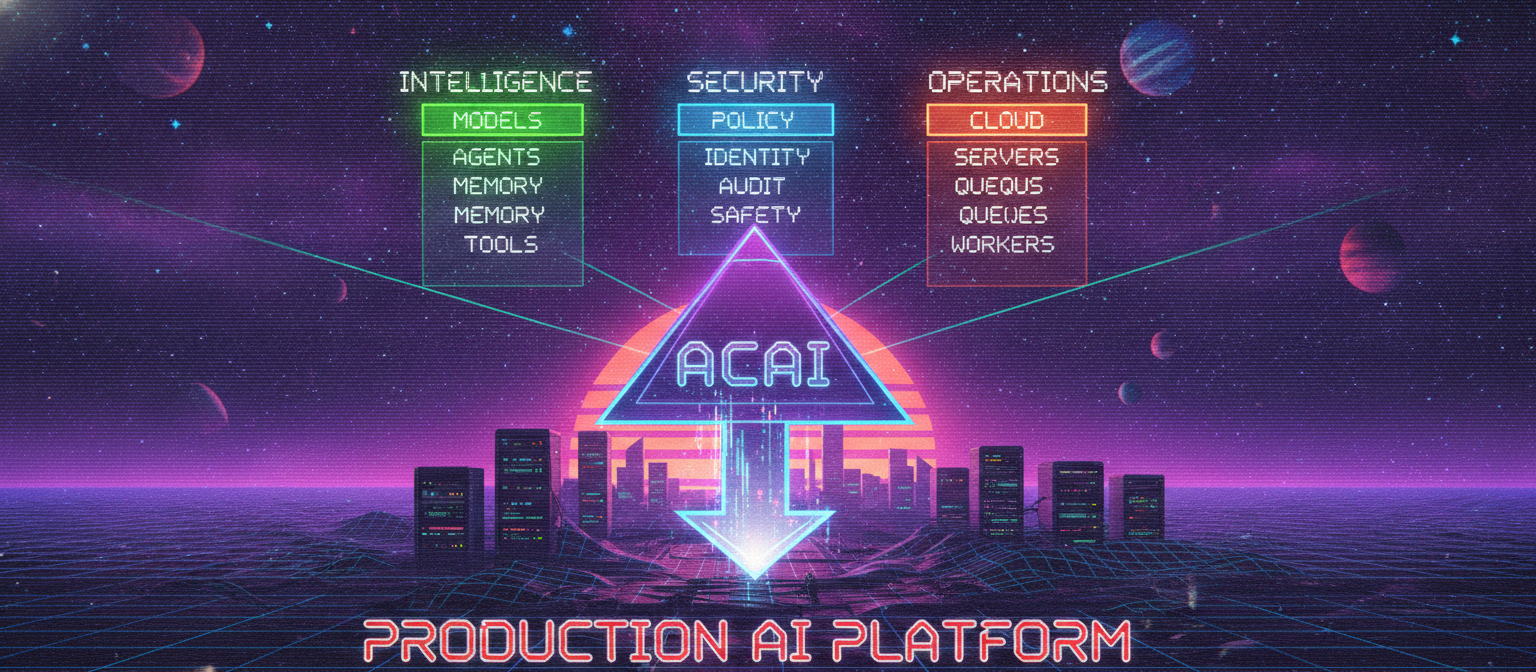
                     ACAI
                      │
        ┌─────────────┼─────────────┐
        ▼             ▼             ▼
   INTELLIGENCE    SECURITY      OPERATIONS
        │             │             │
        ▼             ▼             ▼
      MODELS        POLICY       CLOUD
      AGENTS        IDENTITY     SERVERS
      MEMORY        AUDIT        QUEUES
      TOOLS         SAFETY       WORKERS
        │             │             │
        └─────────────┼─────────────┘
                      ▼
                PRODUCTION AI
                   PLATFORM
End of Chapter 18


Comments
Post a Comment