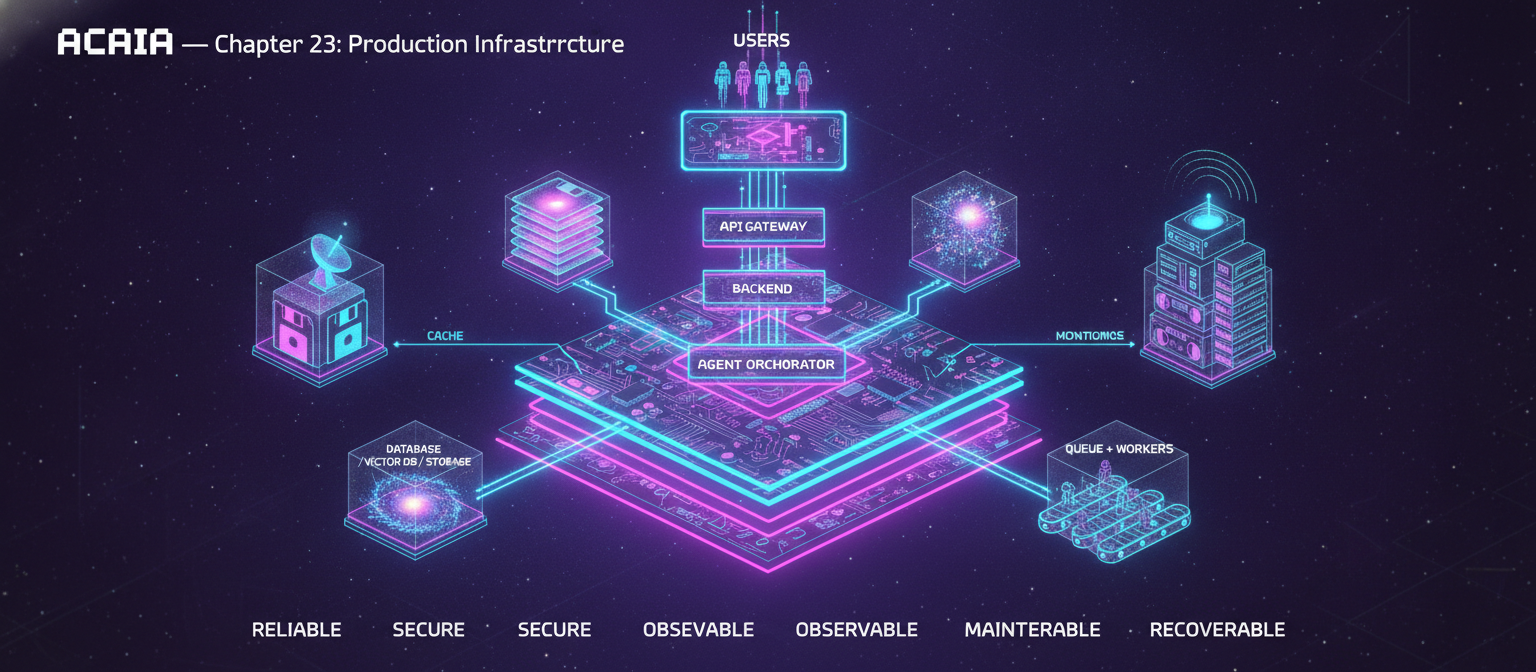
23.1 Objective
Chapter 22 established the model-development lifecycle.
Now ACAI needs the infrastructure that turns those models and AI services into a real, usable production platform.
The complete flow becomes:
USER
 ↓
FRONTEND
 ↓
API GATEWAY
 ↓
AUTHENTICATION
 ↓
BACKEND
 ↓
AGENT ORCHESTRATOR
 ↓
AI / MODEL SERVICES
 ↓
DATABASE / VECTOR DB / STORAGE
 ↓
QUEUE + WORKERS
 ↓
CACHE
 ↓
MONITORING
 ↓
USER
The goal is not simply to make the application run once.
The goal is to make it:
Reliable
Secure
Scalable
Observable
Maintainable
Recoverable
23.2 High-Level Production Architecture
                         USERS
                           │
                           ▼
                     WEB / MOBILE APP
                           │
                           ▼
                     LOAD BALANCER
                           │
                           ▼
                      API GATEWAY
                           │
             ┌─────────────┼─────────────┐
             ▼             ▼             ▼
          AUTH          API SERVER     WEBSOCKET
                           │
                           ▼
                    AGENT ORCHESTRATOR
                           │
          ┌────────────────┼────────────────┐
          ▼                ▼                ▼
       MODEL API        RAG SERVICE      TOOL SERVICE
          │                │                │
          └────────────────┼────────────────┘
                           ▼
                    DATA / STORAGE
          ┌────────────────┼────────────────┐
          ▼                ▼                ▼
       DATABASE          VECTOR DB      OBJECT STORAGE
                           │
                           ▼
                        CACHE
                           │
                           ▼
                    QUEUE / WORKERS
                           │
                           ▼
                     AI PROCESSING
                           │
                           ▼
                       MONITORING
23.3 Frontend
The frontend is the user's interface.
Possible stack:
Next.js
React
TypeScript
Tailwind CSS
The frontend handles:
Login
Dashboard
Chat
File upload
Image editing
Video editing
AI generation
Settings
History
Billing UI
It should not contain secret API keys.
23.4 Frontend Architecture
A clean structure can look like:
src/
 ├── app/
 ├── components/
 ├── features/
 ├── hooks/
 ├── lib/
 ├── services/
 ├── stores/
 └── types/
Example:
features/
 ├── chat/
 ├── image/
 ├── video/
 ├── documents/
 ├── auth/
 └── dashboard/
This keeps large applications easier to maintain.
23.5 API Layer
The frontend communicates with the backend through APIs.
Conceptually:
FRONTEND
   │
   ├── POST /api/chat
   ├── POST /api/generate
   ├── POST /api/upload
   ├── GET  /api/history
   └── GET  /api/user
The exact endpoints should be designed around the actual application domain.
23.6 API Gateway
An API gateway can sit between users and backend services.
USER
 ↓
API GATEWAY
 ↓
SERVICE
Potential responsibilities:
Authentication
Rate limiting
Request routing
Logging
Request validation
API versioning
23.7 API Versioning
Avoid changing production APIs unpredictably.
For example:
/api/v1/chat
/api/v1/generate
Later:
/api/v2/chat
This allows controlled migration.
23.8 Request Validation
Every API should validate input.
Example:
REQUEST
 ↓
VALIDATE
 ├── Valid → Continue
 └── Invalid → Error
Validate:
Required fields
Data types
Maximum lengths
File sizes
Allowed formats
Authorization
Never assume that frontend validation is sufficient.
23.9 Authentication
Authentication answers:
WHO IS THIS USER?
Possible approaches include:
Email/password
OAuth
Magic links
Passkeys
Session-based authentication
Token-based authentication
The exact choice depends on the application's requirements.
23.10 Authorization
Authorization answers:
WHAT IS THIS USER ALLOWED TO DO?
Example:
USER
 ├── Read own files
 ├── Create generations
 └── Delete own data

ADMIN
 ├── Manage users
 ├── View system metrics
 └── Manage configuration
Authentication and authorization are different concepts.
23.11 Role-Based Access Control
A simple model:
ROLE
 │
 ├── USER
 ├── ADMIN
 ├── MODERATOR
 └── SERVICE
Permissions can be attached to roles.
USER → read:own_data
ADMIN → read:all_data
23.12 Database
ACAI needs persistent application data.
Possible relational database:
PostgreSQL
Example entities:
users
projects
conversations
messages
generations
files
jobs
model_versions
subscriptions
audit_events
23.13 Example Database Relationship
USER
 │
 ├── PROJECT
 │      │
 │      ├── CONVERSATION
 │      │       └── MESSAGE
 │      │
 │      ├── FILE
 │      │
 │      └── GENERATION
 │
 └── SUBSCRIPTION
This creates a logical ownership structure.
23.14 User Table
Conceptually:
users
-------------------------
id
email
display_name
created_at
updated_at
status
Sensitive information should be stored and protected appropriately.
23.15 Conversation Table
conversations
-------------------------
id
user_id
title
created_at
updated_at
Messages:
messages
-------------------------
id
conversation_id
role
content
created_at
23.16 Message Roles
Typical roles:
system
user
assistant
tool
The exact representation depends on the model/API protocol.
23.17 Generation Records
For image, video, or other AI generation:
generations
-------------------------
id
user_id
type
prompt
model
status
output_url
created_at
A generation can move through:
QUEUED
 ↓
PROCESSING
 ↓
COMPLETED
or:
QUEUED
 ↓
PROCESSING
 ↓
FAILED
23.18 Job System
Long operations should not block normal API requests.
Example:
USER
 ↓
POST /generate
 ↓
JOB CREATED
 ↓
202 Accepted
Then:
QUEUE
 ↓
WORKER
 ↓
PROCESS
 ↓
DATABASE UPDATE
23.19 Queue Architecture
                    API
                     │
                     ▼
                   QUEUE
          ┌──────────┼──────────┐
          ▼          ▼          ▼
       WORKER 1   WORKER 2   WORKER 3
          │          │          │
          └──────────┼──────────┘
                     ▼
                  RESULTS
Queues are useful for:
Video rendering
Image generation
Document processing
Embedding
OCR
Email
Notifications
Long AI tasks
23.20 Retry Strategy
Some jobs fail temporarily.
Example:
JOB
 ↓
FAILED
 ↓
RETRY
 ↓
FAILED
 ↓
RETRY
 ↓
SUCCESS
But not every error should be retried.
For example:
Temporary network error → Retry
Invalid user input → Do not retry
Unauthorized request → Do not retry
23.21 Dead-Letter Queue
Repeatedly failing jobs can be isolated.
QUEUE
 ↓
WORKER
 ↓
FAIL
 ↓
RETRY
 ↓
FAIL
 ↓
DEAD-LETTER QUEUE
This prevents a permanently broken job from repeatedly consuming worker resources.
23.22 Worker Architecture
Different workers can specialize:
workers/
 ├── image-worker
 ├── video-worker
 ├── document-worker
 ├── embedding-worker
 ├── email-worker
 └── cleanup-worker
This makes scaling more targeted.
23.23 Object Storage
Large files should generally not be stored directly in the relational database.
Use object storage for:
Images
Videos
Audio
PDFs
Generated media
Backups
Large datasets
Architecture:
USER
 ↓
OBJECT STORAGE
 ↓
FILE REFERENCE
 ↓
DATABASE
The database stores metadata while the object storage stores the actual large object.
23.24 File Metadata
Example:
{
  "id": "file_001",
  "user_id": "user_001",
  "storage_key": "uploads/file_001.png",
  "mime_type": "image/png",
  "size": 123456,
  "created_at": "..."
}
23.25 Signed URLs
For private files, the application can issue temporary access URLs.
Conceptually:
USER
 ↓
AUTHENTICATED API
 ↓
SIGNED URL
 ↓
PRIVATE STORAGE
The storage object does not need to be publicly accessible.
23.26 Vector Database
ACAI's RAG layer requires vector retrieval.
Possible architecture:
DOCUMENT
 ↓
CHUNK
 ↓
EMBEDDING
 ↓
VECTOR DATABASE
Search:
QUERY
 ↓
EMBEDDING
 ↓
VECTOR SEARCH
 ↓
TOP RESULTS
23.27 Hybrid Search
Vector search alone is not always sufficient.
A better retrieval layer may combine:
Semantic Search
+
Keyword Search
+
Metadata Filters
Architecture:
QUERY
 ├── VECTOR SEARCH
 ├── KEYWORD SEARCH
 └── FILTER
        ↓
      RERANK
        ↓
      CONTEXT
23.28 Cache
Caching avoids repeating expensive operations.
USER REQUEST
 ↓
CACHE?
 ├── HIT → RETURN
 └── MISS
       ↓
     PROCESS
       ↓
     CACHE
       ↓
     RETURN
Useful cache targets:
Session data
Frequently used configuration
Rate-limit counters
Temporary results
Expensive lookups
Do not cache sensitive data carelessly.
23.29 Cache Invalidation
A cache can become stale.
Therefore define:
TTL
Invalidation rules
Versioning
Refresh strategy
Example:
CONFIG V1
 ↓
CACHE
 ↓
CONFIG UPDATED
 ↓
INVALIDATE
 ↓
CACHE V2
23.30 Redis-Style Architecture
A fast in-memory system can support:
Cache
Session state
Rate limiting
Queues
Pub/Sub
Temporary coordination
Whether one technology should perform all these functions depends on scale and reliability requirements.
23.31 Rate Limiting
Without rate limiting:
ONE USER
 ↓
10,000 REQUESTS
 ↓
SYSTEM OVERLOAD
A rate limiter can enforce:
Requests / minute
Requests / hour
Generation limits
Upload limits
Token limits
23.32 Rate-Limit Architecture
REQUEST
 ↓
AUTH
 ↓
RATE LIMIT CHECK
 ├── ALLOW → SERVICE
 └── DENY → 429
Limits can differ by:
User
Plan
Endpoint
IP
Resource
23.33 Usage Quotas
For AI services, usage may be measured by:
Tokens
Images
Video seconds
Storage
Requests
Compute time
Example:
FREE
100 generations

PRO
1000 generations

ENTERPRISE
Custom
These are product-policy examples, not fixed recommendations.
23.34 Billing Architecture
A production AI application may need:
Subscription
Usage
Invoices
Credits
Payment status
Entitlements
Architecture:
PAYMENT PROVIDER
       ↓
WEBHOOK
       ↓
BACKEND
       ↓
SUBSCRIPTION DB
       ↓
USER ENTITLEMENTS
Payment events should be verified server-side.
23.35 Webhooks
External services may send events:
PAYMENT SUCCESS
PAYMENT FAILED
SUBSCRIPTION UPDATED
Flow:
EXTERNAL SERVICE
 ↓
WEBHOOK
 ↓
VERIFY SIGNATURE
 ↓
PROCESS EVENT
 ↓
UPDATE DATABASE
Webhook handlers should be designed to handle duplicate deliveries safely.
23.36 Idempotency
If the same request is accidentally received twice:
REQUEST A
REQUEST A
the system should avoid unintended duplicate side effects where possible.
Conceptually:
IDEMPOTENCY KEY
 ↓
CHECK
 ├── Already processed → Return previous result
 └── New → Process
23.37 Secrets Management
Never hard-code:
API keys
Database passwords
JWT secrets
Payment secrets
Cloud credentials
inside source code.
Instead:
ENVIRONMENT
 ↓
SECRET MANAGEMENT
 ↓
APPLICATION
23.38 Environment Separation
Use separate environments:
DEVELOPMENT
STAGING
PRODUCTION
Example:
.env.local
staging configuration
production secrets
Production secrets should not be copied into development projects unnecessarily.
23.39 Logging
Every important service should produce structured logs.
Example:
{
  "level": "info",
  "event": "generation_completed",
  "job_id": "job_123",
  "model": "model_v2"
}
Structured logging makes searching and analysis easier.
23.40 Log Levels
Typical levels:
DEBUG
INFO
WARN
ERROR
Do not put passwords, API keys, or unnecessary personal information into logs.
23.41 Metrics
Track system health:
Request rate
Error rate
Latency
Queue depth
Worker utilization
Database load
Cache hit rate
Model latency
Token usage
23.42 Monitoring
The production dashboard can show:
API HEALTH
MODEL HEALTH
DATABASE HEALTH
QUEUE HEALTH
STORAGE HEALTH
WORKER HEALTH
Example:
API latency       120 ms
Error rate        0.4%
Queue depth       32
Worker utilization 65%
These are example values, not targets.
23.43 Distributed Tracing
A single user request may travel through many services:
Frontend
 ↓
API
 ↓
Agent
 ↓
RAG
 ↓
Model
 ↓
Database
Tracing connects these operations using a request/trace identifier.
TRACE
 ├── API span
 ├── RAG span
 ├── MODEL span
 └── DB span
This makes latency bottlenecks easier to locate.
23.44 Health Checks
Services should expose health information.
Conceptually:
GET /health
Possible result:
{
  "status": "ok"
}
A deeper readiness check may verify required dependencies.
23.45 Readiness vs Liveness
Liveness
Is the process alive?
Readiness
Can the process safely receive traffic?
These should not necessarily be treated as identical.
23.46 Docker
Containers can package an application with its runtime dependencies.
Conceptually:
SOURCE CODE
 ↓
DOCKER IMAGE
 ↓
CONTAINER
 ↓
SERVER
Example architecture:
Frontend Container
Backend Container
Worker Container
23.47 Container Separation
Instead of one enormous process:
ACAI EVERYTHING
use separate services when appropriate:
web
api
worker
scheduler
This allows independent scaling.
23.48 CI/CD
Continuous Integration and Continuous Deployment automate:
CODE
 ↓
TEST
 ↓
BUILD
 ↓
SECURITY CHECK
 ↓
DEPLOY
Example:
Git push
 ↓
CI
 ↓
Tests
 ↓
Build
 ↓
Staging
 ↓
Production
23.49 Automated Tests
Production code should have multiple testing layers:
Unit Tests
Integration Tests
API Tests
End-to-End Tests
Model Evaluation
Security Tests
23.50 Unit Tests
Test individual functions:
validateInput()
calculateUsage()
formatResponse()
checkPermission()
23.51 Integration Tests
Test multiple components together:
API
 +
Database
 +
Queue
Example:
POST /generation
 ↓
Database record
 ↓
Queue job
23.52 End-to-End Test
Simulate a real user:
LOGIN
 ↓
UPLOAD IMAGE
 ↓
GENERATE
 ↓
WAIT
 ↓
VIEW RESULT
This verifies the entire path.
23.53 Deployment Architecture
A scalable deployment can look like:
                         INTERNET
                             │
                             ▼
                       LOAD BALANCER
                             │
                  ┌──────────┴──────────┐
                  ▼                     ▼
               API #1                 API #2
                  │                     │
                  └──────────┬──────────┘
                             ▼
                           QUEUE
                    ┌────────┼────────┐
                    ▼        ▼        ▼
                 Worker1  Worker2  Worker3
                    │        │        │
                    └────────┼────────┘
                             ▼
                      MODEL / AI SERVICE
                             │
             ┌───────────────┼───────────────┐
             ▼               ▼               ▼
          DATABASE        VECTOR DB      STORAGE
23.54 Horizontal Scaling
When traffic increases:
1 API SERVER
can become:
API SERVER 1
API SERVER 2
API SERVER 3
The load balancer distributes traffic.
23.55 Vertical Scaling
Another option is increasing resources:
2 CPU → 8 CPU
4 GB RAM → 32 GB RAM
Vertical scaling can be simple, but eventually has hardware limits.
23.56 Worker Scaling
AI workloads may require more workers:
LOW TRAFFIC
 ↓
2 workers
HIGH TRAFFIC
 ↓
20 workers
The number should be determined from workload characteristics and resource limits.
23.57 Autoscaling
A production platform can scale based on:
CPU
Memory
Queue depth
Request rate
Latency
GPU utilization
Example:
QUEUE DEPTH ↑
      ↓
WORKERS ↑
23.58 Database Scaling
Possible progression:
Single Database
 ↓
Read Replicas
 ↓
Partitioning
 ↓
Sharding
Do not jump to complex database architecture before actual scale requires it.
23.59 Backups
A production database needs backups.
Conceptually:
DATABASE
 ↓
BACKUP
 ↓
REMOTE STORAGE
Test restoration periodically.
A backup that cannot be restored is not a reliable recovery strategy.
23.60 Disaster Recovery
Plan for:
Database failure
Storage failure
Service outage
Deployment failure
Credential compromise
Region outage
Recovery flow:
FAILURE
 ↓
DETECT
 ↓
ISOLATE
 ↓
RECOVER
 ↓
VERIFY
 ↓
RESTORE SERVICE
23.61 Disaster Recovery Objectives
Define:
RPO — Recovery Point Objective
RTO — Recovery Time Objective
In simple terms:
RPO → How much recent data can potentially be lost?

RTO → How quickly should service be restored?
These should be chosen according to business requirements.
23.62 Security Layers
ACAI should use defense in depth:
                 SECURITY
                    │
       ┌────────────┼────────────┐
       ▼            ▼            ▼
   Identity       Network       Data
       │            │            │
       ▼            ▼            ▼
   API Security  Isolation    Encryption
       │
       ▼
   Application Security
23.63 Data Encryption
Use encryption:
IN TRANSIT
and where appropriate:
AT REST
Sensitive credentials should use secure secret-management mechanisms.
23.64 File Access Control
A user should not be able to guess:
/file/userB/private.pdf
and access another user's content.
Every private resource must be authorized server-side.
Conceptually:
REQUEST
 ↓
AUTHENTICATE
 ↓
CHECK OWNER / PERMISSION
 ↓
ALLOW OR DENY
23.65 Tenant Isolation
If ACAI eventually supports organizations:
ORGANIZATION A
 ├── Users
 ├── Projects
 └── Files

ORGANIZATION B
 ├── Users
 ├── Projects
 └── Files
Data-access queries must enforce tenant boundaries.
23.66 API Security
Protect APIs with:
Authentication
Authorization
Validation
Rate limiting
Request size limits
Timeouts
Abuse detection
Audit logging
23.67 Timeout Strategy
Every external call should have a sensible timeout.
Without timeouts:
SERVICE A
 ↓
WAIT FOREVER
 ↓
WORKER STUCK
 ↓
RESOURCE EXHAUSTION
Therefore:
REQUEST
 ↓
TIMEOUT
 ↓
RETRY / FAIL
where appropriate.
23.68 Circuit Breaker
If an external service repeatedly fails:
REQUEST
 ↓
EXTERNAL API
 ↓
FAIL
 ↓
FAIL
 ↓
FAIL
a circuit breaker can temporarily stop sending requests:
OPEN
 ↓
WAIT
 ↓
TEST
 ↓
CLOSE IF HEALTHY
This prevents cascading failures.
23.69 Fallback Architecture
ACAI can support model/provider fallback:
PRIMARY MODEL
      │
      ├── SUCCESS → RETURN
      │
      └── FAILURE
            ↓
        FALLBACK MODEL
            ↓
          RETURN
Fallbacks must respect quality, cost, privacy, and compatibility requirements.
23.70 Complete Backend Architecture
                         CLIENT
                           │
                           ▼
                     API GATEWAY
                           │
                           ▼
                  AUTH + RATE LIMIT
                           │
                           ▼
                     API SERVICE
                           │
        ┌──────────────────┼──────────────────┐
        ▼                  ▼                  ▼
    CHAT API           MEDIA API          USER API
        │                  │                  │
        └──────────────────┼──────────────────┘
                           ▼
                    AGENT ORCHESTRATOR
                           │
            ┌──────────────┼──────────────┐
            ▼              ▼              ▼
          RAG           TOOLS          MODELS
            │              │              │
            └──────────────┼──────────────┘
                           ▼
                         QUEUE
                           │
                 ┌─────────┼─────────┐
                 ▼         ▼         ▼
              WORKER    WORKER    WORKER
                 │         │         │
                 └─────────┼─────────┘
                           ▼
             ┌─────────────┼─────────────┐
             ▼             ▼             ▼
          DATABASE      VECTOR DB      STORAGE
                           │
                           ▼
                         CACHE
                           │
                           ▼
                      MONITORING
23.71 Production Request Example
A user asks:
"Analyze this uploaded PDF and summarize it."
The actual infrastructure flow can be:
1. User authenticated
        ↓
2. PDF uploaded
        ↓
3. Storage object created
        ↓
4. Database file record created
        ↓
5. Processing job created
        ↓
6. Queue receives job
        ↓
7. Worker extracts document
        ↓
8. OCR / parser processes pages
        ↓
9. Text chunks created
        ↓
10. Embeddings generated
        ↓
11. Vector database updated
        ↓
12. User asks question
        ↓
13. Retrieval
        ↓
14. Agent
        ↓
15. Model
        ↓
16. Verification
        ↓
17. Response returned
This is how the previous chapters connect to production infrastructure.
23.72 Production Failure Example
Suppose the primary model becomes unavailable.
USER
 ↓
AGENT
 ↓
PRIMARY MODEL
 ↓
TIMEOUT
The infrastructure can respond:
TIMEOUT
 ↓
RETRY IF APPROPRIATE
 ↓
FALLBACK
 ↓
VERIFY
 ↓
RETURN
Meanwhile monitoring records the incident.
MODEL ERROR
 ↓
METRICS
 ↓
ALERT
 ↓
ENGINEERING RESPONSE
23.73 Complete ACAI Production System
                              ACAI
                               │
       ┌───────────────────────┼───────────────────────┐
       ▼                       ▼                       ▼
   FRONTEND                 API LAYER               AUTH
       │                       │                       │
       └───────────────────────┼───────────────────────┘
                               ▼
                       AGENT ORCHESTRATOR
                               │
          ┌────────────────────┼────────────────────┐
          ▼                    ▼                    ▼
        MODELS                RAG                  TOOLS
          │                    │                    │
          └────────────────────┼────────────────────┘
                               ▼
                             QUEUE
                               │
                      ┌────────┼────────┐
                      ▼        ▼        ▼
                   WORKER   WORKER   WORKER
                      │        │        │
                      └────────┼────────┘
                               ▼
              ┌────────────────┼────────────────┐
              ▼                ▼                ▼
           DATABASE         VECTOR DB        STORAGE
              │                │                │
              └────────────────┼────────────────┘
                               ▼
                             CACHE
                               │
                               ▼
                         OBSERVABILITY
                    ┌──────────┼──────────┐
                    ▼          ▼          ▼
                  LOGS       METRICS     TRACES
                               │
                               ▼
                            ALERTS
                               │
                               ▼
                          OPERATIONS
23.74 Deployment Checklist
Before production:
[ ] Authentication enabled
[ ] Authorization verified
[ ] API validation implemented
[ ] Rate limits configured
[ ] Secrets protected
[ ] Database backups configured
[ ] Storage permissions checked
[ ] Queue retry strategy configured
[ ] Dead-letter handling configured
[ ] Worker limits configured
[ ] Logging enabled
[ ] Metrics enabled
[ ] Tracing enabled where useful
[ ] Health checks enabled
[ ] Timeouts configured
[ ] Error handling tested
[ ] CI/CD configured
[ ] Staging environment tested
[ ] Rollback procedure documented
[ ] Disaster recovery tested
[ ] Model version recorded
[ ] Usage monitoring enabled
23.75 Chapter 23 Success Criteria
[✓] Frontend architecture
[✓] API layer
[✓] API gateway
[✓] Authentication
[✓] Authorization
[✓] Database architecture
[✓] Conversation storage
[✓] Generation storage
[✓] Object storage
[✓] Signed access
[✓] Vector database
[✓] Hybrid retrieval
[✓] Cache
[✓] Queue
[✓] Workers
[✓] Retry strategy
[✓] Dead-letter queue
[✓] Rate limiting
[✓] Usage quotas
[✓] Billing integration concepts
[✓] Webhooks
[✓] Idempotency
[✓] Secrets management
[✓] Environment separation
[✓] Logging
[✓] Metrics
[✓] Monitoring
[✓] Distributed tracing
[✓] Health checks
[✓] Docker
[✓] CI/CD
[✓] Automated testing
[✓] Horizontal scaling
[✓] Vertical scaling
[✓] Autoscaling
[✓] Database scaling
[✓] Backups
[✓] Disaster recovery
[✓] Security architecture
[✓] Tenant isolation
[✓] Timeouts
[✓] Circuit breakers
[✓] Fallback models
23.76 Final Result
After Chapter 23, ACAI has the infrastructure required to move from a collection of AI components toward a production platform.
The complete operational lifecycle is:
CODE
 ↓
TEST
 ↓
BUILD
 ↓
DEPLOY
 ↓
SERVE
 ↓
MONITOR
 ↓
DETECT
 ↓
RECOVER
 ↓
IMPROVE
The central principle is:
AI MODEL
      ≠
AI PRODUCT
A real AI product requires:
MODEL
+
DATA
+
RAG
+
AGENT
+
API
+
DATABASE
+
STORAGE
+
QUEUE
+
SECURITY
+
MONITORING
+
DEPLOYMENT
Only when these pieces work together does ACAI become a practical production system.
23.77 Next Chapter
Chapter 24 — Security, Privacy, Trust, Abuse Prevention, Prompt Injection Defense, Data Governance, and AI Safety
The next chapter will build the security layer around the entire ACAI architecture:
USER
 ↓
IDENTITY
 ↓
PERMISSION
 ↓
INPUT SECURITY
 ↓
PROMPT SECURITY
 ↓
MODEL SECURITY
 ↓
TOOL SECURITY
 ↓
DATA SECURITY
 ↓
OUTPUT VALIDATION
 ↓
AUDIT
It will cover:
Authentication security
Authorization
Session security
API security
Prompt injection
Indirect prompt injection
Tool abuse
Data exfiltration
Malicious files
Sandboxing
Secrets
Encryption
Privacy
Data retention
Deletion
Audit logs
Tenant isolation
Abuse prevention
Rate limiting
AI safety
Human review
Incident response
Security testing
Red-team methodology
Production security checklist
End of Chapter 23


Comments
Post a Comment