Chapter 31 — Complete Memory System, from conversation memory to long-term/project memory and how the AI retrieves the right memory at the right time.
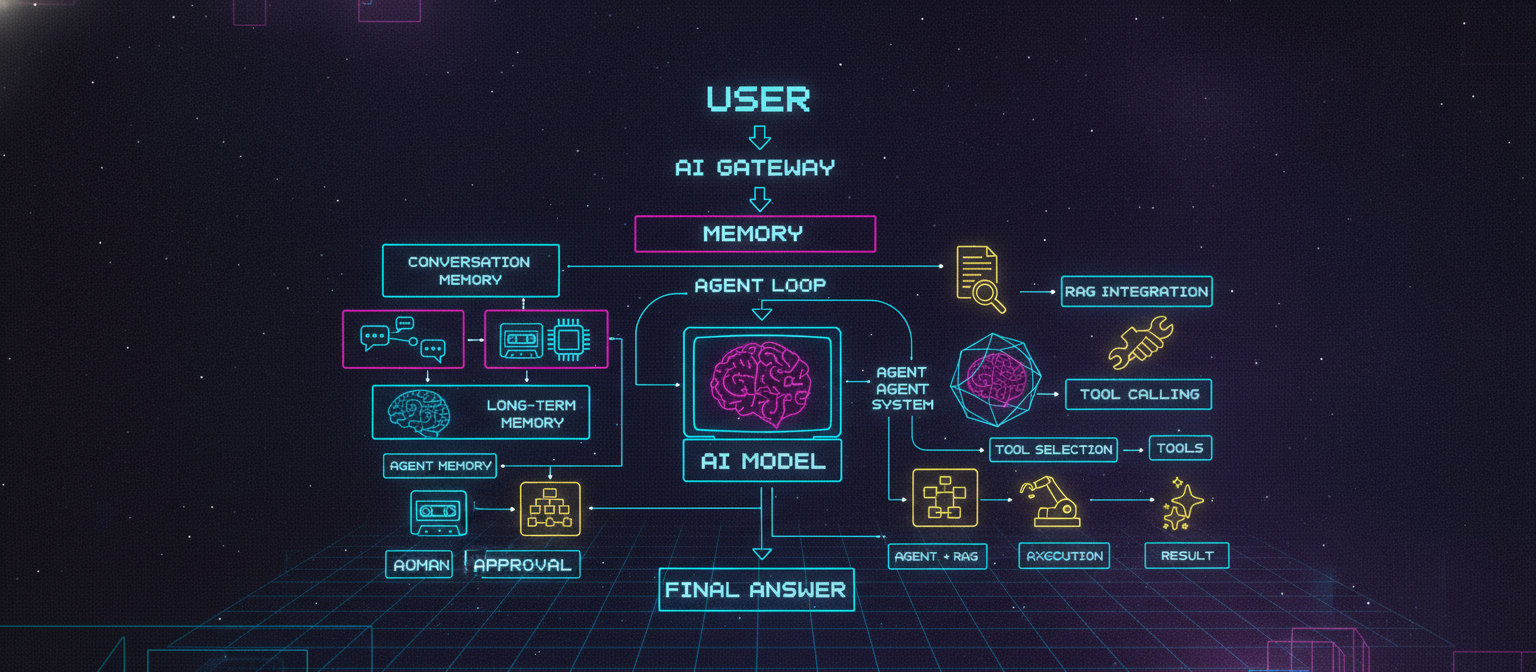
31.1 Chapter Objective
In Chapter 30, ACAI received the AI Gateway, Model Router, RAG integration, and Tool Calling foundation.
Now we add another major capability:
Memory
Memory allows ACAI to retain useful information across messages, conversations, and projects, while still giving the user control over what is remembered.
The target architecture is:
USER
  ↓
ACAI
  ↓
AI GATEWAY
  ↓
MEMORY SYSTEM
  ├── Conversation Memory
  ├── Project Memory
  ├── User Memory
  └── Long-Term Memory
  ↓
CONTEXT BUILDER
  ↓
AI MODEL
31.2 Why Memory Is Different From RAG
RAG answers:
"What information exists in my documents?"
Memory answers:
"What useful information do I already know about this user's
ongoing work or previous interactions?"
For example:
RAG:
"My uploaded report says X."

Memory:
"The user previously decided to use X for this project."
They can work together.
31.3 Complete Context Architecture
ACAI can eventually build model context from:
SYSTEM RULES
+
USER MESSAGE
+
RECENT CONVERSATION
+
RELEVANT MEMORY
+
PROJECT MEMORY
+
RAG RESULTS
+
TOOL RESULTS
Conceptually:
                    USER MESSAGE
                         │
                         ▼
                  CONTEXT BUILDER
                         │
        ┌────────────────┼────────────────┐
        ▼                ▼                ▼
   Conversation       Memory             RAG
      History         Search           Search
        │                │                │
        └────────────────┼────────────────┘
                         ▼
                     AI MODEL
31.4 Types of Memory
The initial system should separate memory into four major categories.
1. Conversation Memory
2. Project Memory
3. User Memory
4. Long-Term Memory
Each serves a different purpose.
31.5 Conversation Memory
Conversation memory represents the current chat.
Example:
User:
Let's build an AI document assistant.

Assistant:
Sure.

User:
Use TypeScript.

Assistant:
Okay.
The conversation system stores the messages.
Conceptually:
conversation
 ├── message 1
 ├── message 2
 ├── message 3
 └── message 4
31.6 Recent Conversation Context
The model does not always need the entire conversation.
For example:
100 messages
may be too large.
Instead:
Older conversation
       ↓
Summary

Recent messages
       ↓
Full context
Then:
SUMMARY
+
RECENT MESSAGES
are sent to the model.
31.7 Conversation Summary
A long conversation can be summarized periodically.
Example:
Conversation Summary:

The user is building ACAI.
The project uses a web application architecture.
The user wants document search and AI tools.
The current task is implementing the memory system.
The summary is not a replacement for the original messages.
The original messages remain stored.
The summary is only a compact context representation.
31.8 Project Memory
Project memory is information related to a particular project.
Example:
Project:
ACAI

Project Memory:
- Main application architecture uses a web frontend.
- AI Gateway is implemented.
- RAG is enabled.
- Tool calling is being developed.
Another project can have completely different memory.
Project A
 ↓
Memory A

Project B
 ↓
Memory B
The two should not be mixed accidentally.
31.9 Why Project Isolation Matters
Suppose a user has:
Project A = ACAI
Project B = E-commerce application
The AI should not answer an ACAI question using irrelevant e-commerce project decisions.
Therefore every project-memory record needs an ownership/context boundary.
Conceptually:
userId
projectId
memoryId
31.10 User Memory
User memory contains information that may be useful across projects.
For example, a user may have a recurring preference:
Preferred response format:
step-by-step
This type of information can potentially be useful across conversations.
However, not everything said by a user should automatically become permanent memory.
31.11 Long-Term Memory
Long-term memory contains selected information retained beyond an individual conversation.
Architecture:
Conversation
      ↓
Potential Memory
      ↓
Memory Evaluation
      ↓
Store?
 ├── YES
 └── NO
This prevents the memory database from becoming a dump of every conversation.
31.12 Memory Should Be Selective
Bad design:
Every message
     ↓
Permanent memory
This produces:
huge memory
duplicate facts
outdated information
irrelevant information
privacy problems
Better:
Conversation
 ↓
Candidate facts
 ↓
Importance check
 ↓
Store only useful memory
31.13 Memory Candidate
The AI or application can identify a possible memory.
Example:
User:
"For this project, always use TypeScript."
Candidate:
Project preference:
TypeScript
The system then decides whether this should be stored.
31.14 Memory Importance
A memory can have an importance score.
Conceptually:
importance = 0 → irrelevant
importance = 1 → highly useful
Only memories above a configured threshold may be retained automatically.
The exact scoring system can evolve later.
31.15 Memory Types
Useful categories include:
PREFERENCE
DECISION
PROJECT_FACT
GOAL
WORKFLOW
PROFILE_FACT
CONSTRAINT
Example:
PREFERENCE:
prefers step-by-step instructions

PROJECT_FACT:
project uses TypeScript

DECISION:
selected a specific architecture

GOAL:
build a document AI assistant
31.16 Memory Record
Conceptually, a memory record can contain:
memoryId
userId
projectId
type
content
importance
createdAt
updatedAt
expiresAt
source
Not every memory needs every field.
31.17 Memory Source
It is useful to know where a memory came from.
Possible sources:
conversation
user-created
system-created
imported
Example:
source = conversation
This allows later auditing and correction.
31.18 Memory Confidence
A memory candidate may have confidence:
high
medium
low
Example:
User explicitly says:
"Remember that this project uses TypeScript."

Confidence:
HIGH
Whereas:
AI guesses:
"The user probably likes TypeScript."
should not automatically become permanent memory.
31.19 Explicit Memory
The strongest memory mechanism is explicit user instruction.
Example:
"Remember that my project uses TypeScript."
Flow:
USER
 ↓
MEMORY REQUEST
 ↓
VALIDATE
 ↓
STORE
 ↓
CONFIRM
This gives the user direct control.
31.20 Forget Request
Users should also be able to say:
"Forget that."
or:
"Delete my project preference."
Flow:
USER
 ↓
MEMORY SEARCH
 ↓
IDENTIFY MEMORY
 ↓
DELETE / UPDATE
 ↓
CONFIRM
31.21 Memory Management UI
The application should eventually provide:
Settings
   ↓
Memory
   ├── View memories
   ├── Edit
   ├── Delete
   └── Disable memory
Example:
Your Memories

• Prefers step-by-step explanations
• Project uses TypeScript
• Current project uses RAG

[Edit] [Delete]
31.22 Disable Memory
Users should have an option such as:
Memory:
ON / OFF
If disabled:
Conversation
 ↓
No long-term memory storage
The exact product behavior should be clearly defined.
31.23 Memory vs Chat History
These are different.
Chat history:
Every message
Memory:
Selected useful information
Therefore:
DELETE CHAT
does not automatically have to mean:
DELETE ALL MEMORY
unless the product explicitly defines it that way.
31.24 Memory Search
When a new message arrives:
USER MESSAGE
 ↓
MEMORY QUERY
 ↓
RELEVANT MEMORIES
Example:
User:
"Continue the project."

Memory search:

→ Project architecture
→ Previous project decision
→ Current goal
Only relevant records should be injected.
31.25 Semantic Memory Search
Memory can eventually use embeddings.
Architecture:
Memory
 ↓
Embedding
 ↓
Vector Database
Query:
User message
 ↓
Embedding
 ↓
Similarity search
 ↓
Relevant memory
This is similar to the RAG architecture.
31.26 Memory + Vector Search
Conceptually:
                 MEMORY
                    │
             ┌──────┴──────┐
             ▼             ▼
          Metadata       Vector
             │             │
             └──────┬──────┘
                    ▼
               SEARCH
                    │
                    ▼
            RELEVANT MEMORY
Metadata filters can restrict results by:
userId
projectId
memory type
status
31.27 Memory Retrieval Pipeline
Complete flow:
USER MESSAGE
     ↓
IDENTIFY CONTEXT
     ↓
BUILD MEMORY QUERY
     ↓
FILTER BY OWNERSHIP
     ↓
SEMANTIC SEARCH
     ↓
RANK RESULTS
     ↓
REMOVE IRRELEVANT RESULTS
     ↓
CONTEXT BUILDER
     ↓
AI MODEL
31.28 Memory Ranking
Suppose search returns:
Memory A
Memory B
Memory C
Memory D
Rank by factors such as:
semantic relevance
importance
recency
project relevance
confidence
Then:
A → include
B → include
C → maybe
D → exclude
31.29 Recency
A recent memory may be more useful than an old one.
Example:
Old:
Project uses Framework A.

Recent:
Project migrated to Framework B.
If both are returned equally, the AI may become confused.
Therefore the memory system needs an update mechanism.
31.30 Memory Updates
When a new fact conflicts with an old one:
OLD MEMORY
Project uses Framework A

NEW MEMORY
Project migrated to Framework B
The system can:
mark old memory outdated
store new memory
rather than keeping two conflicting active facts.
31.31 Memory Versioning
A stronger system can maintain history:
Memory v1
 ↓
Memory v2
 ↓
Memory v3
The latest active version is used by the AI.
Older versions remain available for auditing if appropriate.
31.32 Memory Expiration
Some memories are temporary.
Example:
"Use this temporary test configuration today."
This should not necessarily remain forever.
A memory can have:
expiresAt
When expiration occurs:
ACTIVE
 ↓
EXPIRED
and it is no longer retrieved.
31.33 Temporary Session Memory
There can also be memory that exists only during the current task.
Architecture:
Current Session
 ↓
Temporary Context
 ↓
Task Complete
 ↓
Discard
This is useful for agent execution.
31.34 Memory Layers
The complete system can therefore contain:
LAYER 1
Current message

LAYER 2
Recent conversation

LAYER 3
Conversation summary

LAYER 4
Project memory

LAYER 5
User memory

LAYER 6
RAG/document knowledge
The context builder decides which layers are needed.
31.35 Context Priority
Not all information should receive equal priority.
Conceptually:
Current user request
        ↓
Current project context
        ↓
Relevant recent conversation
        ↓
Relevant long-term memory
        ↓
General background
This reduces irrelevant context.
31.36 Memory + RAG
Now combine memory with RAG.
User asks:
"Continue the report analysis."
Memory:
User wants step-by-step analysis.
RAG:
Uploaded report contains relevant section.
The model receives:
USER REQUEST
+
MEMORY
+
DOCUMENT CONTEXT
Then generates the response.
31.37 Memory + Tools
Suppose:
Memory:
Project uses a particular workflow.
User:
"Run the normal project workflow."
The AI can use memory to understand what "normal workflow" refers to.
Then:
AI
 ↓
Tool Call
 ↓
Server authorization
 ↓
Tool
Memory helps interpretation.
It does not replace authorization.
31.38 Memory Must Not Grant Permissions
This is critical.
Bad:
Memory:
"User is an administrator."

AI:
execute admin tool
Correct:
Memory:
informational context only

Server authorization:
actual permission check
Memory can describe context.
It cannot grant access.
31.39 Memory Security Boundary
The security model remains:
AUTHENTICATION
      ↓
AUTHORIZATION
      ↓
DATA ACCESS
Memory is below the security boundary:
MEMORY
      ↓
CONTEXT
      ↓
MODEL
The model cannot override authorization.
31.40 Cross-Project Memory
Some memory may be:
USER-WIDE
while other memory is:
PROJECT-SPECIFIC
Therefore records need scope.
Example:
scope = user
or:
scope = project
31.41 Memory Scope
Conceptually:
USER SCOPE
 └── available across permitted conversations

PROJECT SCOPE
 └── available only inside project

CONVERSATION SCOPE
 └── available only inside conversation
This prevents accidental context leakage.
31.42 Memory Retrieval Example
User asks:
"How should we structure this?"
The system searches:
Conversation memory
Project memory
User preferences
Suppose it finds:
Project architecture decision
User prefers step-by-step answers
Context becomes:
Relevant Project Memory:
...

Relevant User Preference:
...
Then the AI answers.
31.43 Avoid Memory Overload
Suppose memory search returns 100 records.
Do not send all 100.
Instead:
100 memories
 ↓
rank
 ↓
top 5–10
 ↓
context builder
The exact number depends on the model and context budget.
31.44 Memory Deduplication
Example:
"Project uses TypeScript."

"ACAI uses TypeScript."

"TypeScript is used for ACAI."
These may represent the same fact.
The system should attempt to avoid storing unnecessary duplicates.
31.45 Memory Consolidation
A periodic process can consolidate memories.
Example:
Memory 1
Memory 2
Memory 3
Memory 4
becomes:
Consolidated project preference
This keeps the memory system compact.
31.46 Memory Extraction Pipeline
A practical pipeline:
MESSAGE
 ↓
EXTRACT CANDIDATES
 ↓
CLASSIFY
 ↓
CHECK DUPLICATE
 ↓
CHECK CONFLICT
 ↓
CHECK IMPORTANCE
 ↓
STORE / UPDATE / IGNORE
This can initially be implemented using deterministic rules and later enhanced with an AI classifier.
31.47 Example Extraction
User says:
"For this project, use PostgreSQL."
Extraction:
type = PROJECT_FACT
content = Project uses PostgreSQL
scope = PROJECT
confidence = HIGH
Store.
31.48 Another Example
User says:
"Maybe PostgreSQL would be better."
This is uncertain.
The system should not automatically create:
Project uses PostgreSQL
Instead:
candidate = possible preference
confidence = low
It may remain unstored.
31.49 Explicit vs Inferred Memory
Use two categories:
EXPLICIT
User directly states it.
INFERRED
System derives it.
Explicit memory should generally have stronger confidence.
31.50 Memory Confirmation
For important information, the application can ask:
"I can remember this as a project preference.
Would you like me to save it?"
Possible buttons:
[Save]
[Don't Save]
This gives the user control.
31.51 Automatic Memory
For low-risk, clearly useful information, automatic memory may be acceptable depending on product design.
Example:
User repeatedly specifies a project-level configuration.
But the product should make memory behavior transparent.
31.52 Memory Transparency
When memory influences an answer, the UI can optionally show:
Used memory:
Project architecture preference
This makes the system easier to understand.
31.53 Memory Audit
For each stored memory, maintain:
createdAt
updatedAt
source
scope
status
This helps investigate:
"Why does ACAI remember this?"
31.54 Memory Deletion
Deletion should be real and controlled.
Conceptually:
DELETE MEMORY
 ↓
mark deleted / remove
 ↓
exclude from retrieval
If the product promises permanent deletion, the storage architecture must actually satisfy that requirement.
31.55 Memory Privacy
Memory can contain personal or project information.
Therefore:
[✓] access control
[✓] encryption where appropriate
[✓] deletion controls
[✓] retention policy
[✓] auditability
[✓] minimal collection
Only store what the product genuinely needs.
31.56 Memory Data Model
Conceptually:
memories/
  memoryId
    userId
    projectId
    scope
    type
    content
    confidence
    importance
    source
    status
    createdAt
    updatedAt
    expiresAt
The exact database schema can be adapted to the chosen database.
31.57 Memory Indexes
If using a relational database, likely lookup dimensions include:
userId
projectId
scope
type
status
updatedAt
For semantic retrieval:
embedding
is also indexed using the database/vector system selected for the project.
31.58 Memory API
Possible internal endpoints:
GET    /api/memory
POST   /api/memory
PATCH  /api/memory/:id
DELETE /api/memory/:id
Search:
POST /api/memory/search
The exact API design can change depending on the application.
31.59 Memory Service
A clean backend service:
MemoryService
responsibilities:
create()
search()
update()
delete()
expire()
consolidate()
Then the AI Gateway calls:
MemoryService.search()
instead of directly accessing database tables.
31.60 Context Builder
The Context Builder becomes a major component.
Conceptually:
ContextBuilder
│
├── recentMessages()
├── conversationSummary()
├── relevantMemories()
├── projectContext()
├── ragContext()
└── toolResults()
It creates the final model input.
31.61 Context Builder Flow
USER MESSAGE
      ↓
CONTEXT BUILDER
      │
      ├── conversation
      ├── memory
      ├── project
      ├── RAG
      └── tools
      │
      ▼
MODEL CONTEXT
This keeps context assembly separate from provider logic.
31.62 Token Budget
The Context Builder must respect the model's context capacity.
Conceptually:
TOTAL BUDGET
│
├── system instructions
├── conversation
├── memory
├── RAG
├── tool results
└── user message
If the context becomes too large:
remove low-priority content first
31.63 Context Compression Priority
A possible strategy:
Keep:
1. Current request
2. Security/system rules
3. Most relevant project context
4. Most relevant memory
5. Most relevant RAG chunks
6. Recent messages

Compress/remove:
low-relevance historical content
The exact priority should be tested for the target model.
31.64 Memory and Conversation Summaries
A conversation may have:
raw messages
summary
memories
These are different layers.
RAW CHAT
 ↓
SUMMARY
 ↓
MEMORY EXTRACTION
A summary describes the conversation.
A memory stores selected reusable facts.
31.65 Example
Conversation:
User:
We are building an AI document platform.

User:
The backend will use PostgreSQL.

User:
The frontend will use TypeScript.
Summary:
The project is an AI document platform using
PostgreSQL and a TypeScript frontend.
Memory:
Project fact:
Backend uses PostgreSQL.

Project fact:
Frontend uses TypeScript.
The three representations serve different purposes.
31.66 Memory + Multi-Model Routing
The router can also use context.
Example:
document question
+
large relevant memory
+
RAG
may require a model with a suitable context capacity.
Therefore:
Memory retrieval
 ↓
Context size estimation
 ↓
Model router
can become part of the advanced architecture.
31.67 Memory + Agent Loop
Agent:
MODEL
 ↓
TOOL
 ↓
RESULT
 ↓
MODEL
Memory can persist selected results:
Agent task
 ↓
result
 ↓
memory candidate
 ↓
store if useful
But tool results should not automatically become long-term memory.
31.68 Memory Candidate From Agent
Example:
Agent discovers:
Project repository uses a particular build command.
If this is a stable project fact:
PROJECT_FACT
may be stored.
If it is only temporary:
SESSION MEMORY
is more appropriate.
31.69 Memory Lifecycle
Complete lifecycle:
CREATE
  ↓
ACTIVE
  ↓
UPDATE
  ↓
RE-RANK
  ↓
EXPIRE / REPLACE
  ↓
DELETE
This makes memory a managed subsystem rather than a simple table.
31.70 Memory Architecture
The full system:
                       USER
                         │
                         ▼
                    AI GATEWAY
                         │
                         ▼
                  CONTEXT BUILDER
                         │
       ┌─────────────────┼─────────────────┐
       ▼                 ▼                 ▼
 CONVERSATION          MEMORY              RAG
       │                 │                 │
       │        ┌────────┼────────┐        │
       │        ▼        ▼        ▼        │
       │      USER    PROJECT   LONG       │
       │                         TERM       │
       │                 │                 │
       └─────────────────┼─────────────────┘
                         ▼
                       MODEL
                         │
                         ▼
                       TOOLS
                         │
                         ▼
                      RESULTS
                         │
                         ▼
                  MEMORY CANDIDATE
31.71 Recommended Initial Implementation
Do not build every advanced memory feature at once.
Build in this order:
PHASE 1
Conversation history

PHASE 2
Conversation summary

PHASE 3
Explicit user memory

PHASE 4
Project memory

PHASE 5
Memory search

PHASE 6
Semantic memory retrieval

PHASE 7
Memory updates/conflict handling

PHASE 8
Automatic memory extraction

PHASE 9
Memory consolidation

PHASE 10
Advanced memory controls
This keeps development manageable.
31.72 Phase 1 — Conversation Memory
Implement:
conversation
messages
recent-message retrieval
Test:
message 1
message 2
message 3
AI should understand the immediate conversation.
31.73 Phase 2 — Conversation Summary
When a conversation becomes large:
old messages
 ↓
summary
Keep recent messages separately.
Test:
long conversation
 ↓
summary
 ↓
new question
The model should still understand the important context.
31.74 Phase 3 — Explicit User Memory
Support:
"Remember X."
Then:
store X
Support:
"Forget X."
Then:
delete/update X
31.75 Phase 4 — Project Memory
Add:
projectId
to project-scoped memories.
Test:
Project A
 ↓
Memory A

Project B
 ↓
Memory B
Verify that the contexts never cross.
31.76 Phase 5 — Memory Search
Implement:
search(query)
with metadata filtering.
Start with simple keyword/metadata retrieval before adding semantic search if that is easier for development.
31.77 Phase 6 — Semantic Search
Add:
embedding(memory.content)
Store the vector.
Then:
query
 ↓
embedding
 ↓
vector search
 ↓
top memories
31.78 Phase 7 — Conflict Handling
Implement:
new fact
 ↓
search similar memories
 ↓
possible conflict?
 ├── NO → create
 └── YES → update/replace
This is important for changing project decisions.
31.79 Phase 8 — Automatic Extraction
Only after the basic system is reliable:
conversation
 ↓
candidate extraction
 ↓
importance
 ↓
duplicate check
 ↓
store
This can later be handled by an AI model.
31.80 Phase 9 — Consolidation
Periodically:
many memories
 ↓
deduplicate
 ↓
merge
 ↓
expire
 ↓
update
This keeps the memory store efficient.
31.81 Phase 10 — User Controls
Complete UI:
Memory
├── Enabled
├── Memories
├── Search
├── Edit
├── Delete
└── Clear
This makes the system user-controlled.
31.82 Memory Testing
Test explicit storage:
User:
"Remember that this project uses TypeScript."

Expected:
memory created
Test retrieval:
Later:
"What language does this project use?"

Expected:
TypeScript
31.83 Memory Isolation Test
Create:
User A
Project A

User B
Project B
Store separate memories.
Then verify:
User A cannot retrieve User B's memory.
Also verify:
Project A cannot retrieve unrelated Project B memory.
31.84 Memory Deletion Test
Create:
Memory X
Then:
DELETE X
Search:
Memory X
Expected:
not returned
31.85 Conflict Test
Store:
Framework = A
Then:
Framework = B
Expected behavior:
A → outdated
B → active
The AI should use B.
31.86 Expiration Test
Create:
Temporary memory
expiresAt = future time
After expiration:
memory search
Expected:
expired memory excluded
31.87 Context Test
Create:
10 irrelevant memories
2 relevant memories
Ask a question related to the 2 relevant memories.
Expected:
relevant memories selected
irrelevant memories excluded
31.88 Security Test
Attempt:
Project A request
→ Project B memory ID
Expected:
DENIED
Do not rely on the frontend to prevent this.
31.89 Performance Test
Measure:
memory search latency
context building latency
model latency
The memory system should not introduce unnecessary delays.
31.90 Observability
Track:
memory_search_count
memory_hit_rate
memory_creation_count
memory_update_count
memory_delete_count
memory_latency
This helps determine whether memory is actually useful.
31.91 Memory Quality Metric
A useful conceptual metric:
Memory Retrieval Precision
Meaning:
Of the memories retrieved,
how many were actually useful?
If too many irrelevant memories appear:
ranking/filtering needs improvement
31.92 Memory Recall
Another metric:
Memory Recall
Meaning:
Of the useful memories available,
how many were retrieved?
A good system needs a balance between:
precision
+
recall
31.93 Memory Failure Modes
Possible problems:
wrong memory
old memory
duplicate memory
irrelevant memory
cross-project memory
cross-user memory
too much memory
memory hallucination
Every one should have a test.
31.94 Memory Hallucination
The AI must not claim:
"I remember that you said X"
if no such memory exists.
The model should be grounded in actual stored context.
31.95 Memory Provenance
Whenever possible, keep:
memory source
For example:
source:
conversation #123
message #456
This makes memory explainable.
31.96 Memory Explanation
A future UI could allow:
Why does ACAI remember this?
Response:
Saved from a previous conversation.
The exact level of detail depends on the product's privacy design.
31.97 Final Context Architecture
ACAI now has:
                    USER
                      │
                      ▼
                 AI GATEWAY
                      │
                      ▼
               CONTEXT BUILDER
                      │
        ┌─────────────┼─────────────┐
        ▼             ▼             ▼
   CONVERSATION     MEMORY          RAG
        │             │             │
        │       ┌─────┼─────┐       │
        │       ▼     ▼     ▼       │
        │     USER PROJECT LONG      │
        │                  TERM      │
        └─────────────┬─────────────┘
                      ▼
                    MODEL
                      │
                      ▼
                    TOOLS
                      │
                      ▼
                   RESULTS
                      │
                      ▼
                 MEMORY SYSTEM
31.98 Chapter 31 Success Criteria
[✓] Conversation memory
[✓] Conversation summaries
[✓] Project memory
[✓] User memory
[✓] Long-term memory concept
[✓] Explicit memory
[✓] Forget/delete mechanism
[✓] Memory scope
[✓] Memory search
[✓] Semantic retrieval architecture
[✓] Memory ranking
[✓] Memory confidence
[✓] Memory importance
[✓] Memory expiration
[✓] Memory updates
[✓] Conflict handling
[✓] Memory + RAG
[✓] Memory + tools
[✓] Memory + agents
[✓] Memory security
[✓] Memory isolation
[✓] Context builder
[✓] Memory testing
31.99 ACAI Status After Chapter 31
The architecture has now evolved into:
ACAI
│
├── Authentication
├── Users
├── Projects
├── Conversations
├── Messages
│
├── File Storage
├── Document Processing
├── Chunking
├── Embeddings
├── Vector Search
├── RAG
│
├── AI Gateway
├── Model Router
├── Provider Adapters
├── Streaming
├── Usage Tracking
├── Rate Limiting
│
├── Tool Registry
├── Tool Validation
├── Tool Authorization
├── Tool Execution
│
├── Conversation Memory
├── Project Memory
├── User Memory
├── Long-Term Memory
└── Context Builder
This gives ACAI the foundation of a persistent, context-aware AI assistant.
31.100 Next Chapter
Chapter 32 — Complete Agent System
The next layer will connect everything together:
USER
 ↓
AI GATEWAY
 ↓
MEMORY
 ↓
RAG
 ↓
MODEL
 ↓
TOOL
 ↓
RESULT
 ↓
MODEL
 ↓
ANOTHER TOOL
 ↓
RESULT
 ↓
FINAL ANSWER
Chapter 32 will cover:
[ ] Agent architecture
[ ] Agent state
[ ] Planning
[ ] Task decomposition
[ ] Tool selection
[ ] Multi-step execution
[ ] Agent memory
[ ] Agent + RAG
[ ] Agent + tools
[ ] Agent + model router
[ ] Human approval
[ ] Execution limits
[ ] Failure recovery
[ ] Agent security
[ ] Agent testing
[ ] Complete end-to-end flow
END OF CHAPTER 31


Comments
Post a Comment