14.1 Introduction
A large AI system is not complete when it can generate good answers. It must also protect user data, restrict dangerous operations, survive component failures, and provide predictable behavior when something goes wrong.
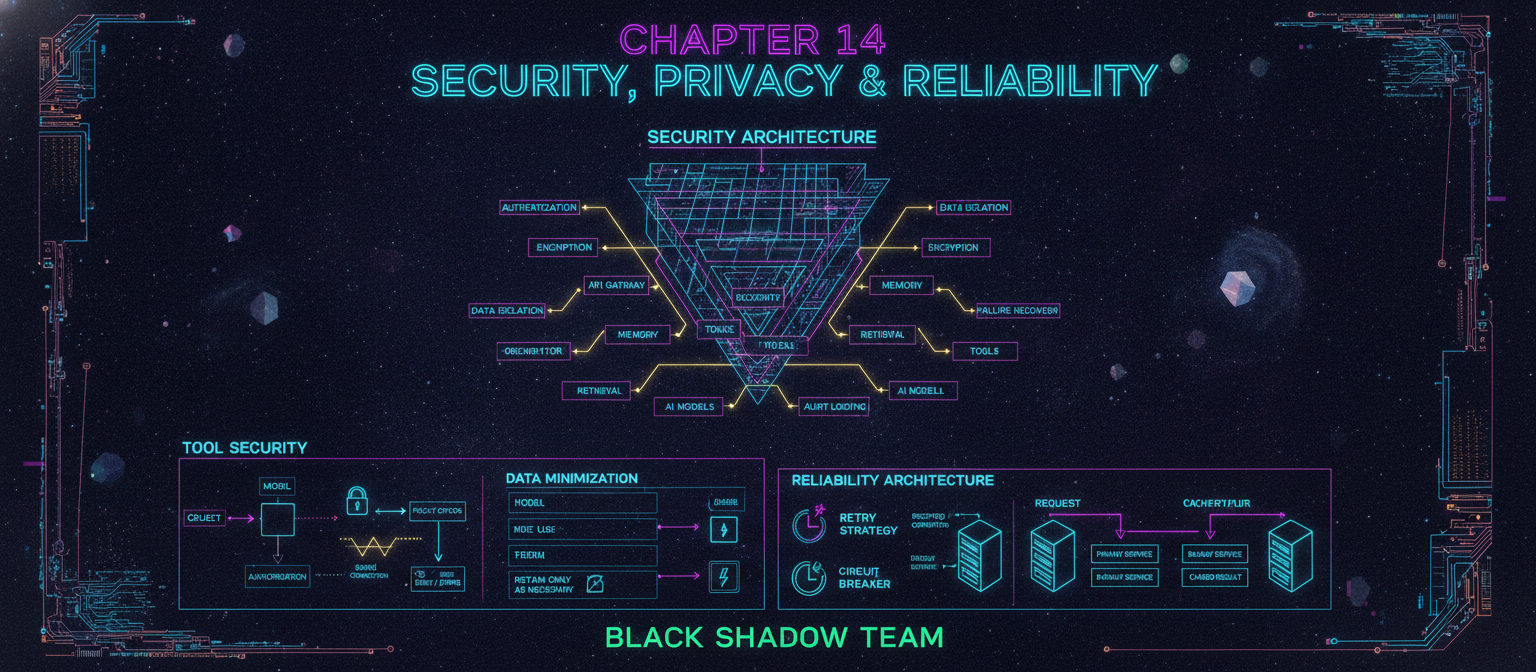
For ACAI, security and reliability should therefore be designed into the architecture from the beginning.
The objective is:
The system should be capable, but every capability should operate within controlled permissions, observable boundaries, and recoverable failure states.
14.2 Security Architecture
A practical security architecture can be represented as:
Each layer should have its own security controls.
14.3 Authentication
Authentication determines who is making a request.
Possible mechanisms include:
-
Password-based authentication
-
OAuth
-
Passkeys
-
Short-lived access tokens
-
Secure sessions
The exact mechanism can vary depending on the deployment.
The important requirement is that protected resources are never accessible simply because a user knows an endpoint URL.
14.4 Authorization
Authentication answers:
Who are you?
Authorization answers:
What are you allowed to do?
For example:
Authorization must be enforced server-side.
Frontend controls alone are insufficient.
14.5 Least Privilege
Every component should receive only the permissions it requires.
For example:
This limits the potential damage caused by a compromised component.
14.6 Tool Security
Tools create a particularly important security boundary.
An AI model might request:
The request should pass through a permission layer:
The model should never receive unrestricted access to sensitive infrastructure.
14.7 Sandboxing
Code execution and other potentially dangerous tools should operate in isolated environments.
Conceptually:
The sandbox should restrict:
-
Filesystem access
-
Network access
-
CPU usage
-
Memory usage
-
Execution time
-
Available system permissions
14.8 Prompt Injection
AI applications that process external content may encounter instructions embedded inside that content.
Example:
The system should treat retrieved documents as data, not automatically as trusted instructions.
A safer architecture separates:
and applies explicit rules regarding which source is allowed to control behavior.
14.9 Retrieval Security
Retrieved information must also respect authorization.
Suppose:
The retriever must filter out documents belonging to User B.
Therefore retrieval should apply permission filtering before returning context to the model.
14.10 Memory Security
Memory is particularly sensitive because it may persist beyond a single conversation.
The system should support:
-
Memory inspection
-
Memory deletion
-
Memory correction
-
Memory retention policies
-
User-level isolation
Conceptually:
A user should not be surprised by information that the system retained indefinitely.
14.11 Data Minimization
The system should collect only the information needed for the intended function.
Instead of:
prefer:
This reduces privacy risk and storage requirements.
14.12 Encryption
Sensitive information should be protected both:
In transit
Data traveling between components should use secure transport.
At rest
Stored information should be protected using appropriate storage encryption.
Conceptually:
Encryption keys should not be embedded directly into application source code.
14.13 Secret Management
API keys, database credentials, signing keys, and other secrets should be stored separately from source code.
Bad pattern:
Preferred architecture:
Developers should also avoid accidentally committing secrets into public repositories.
14.14 Audit Logging
Security-sensitive operations should be auditable.
Examples:
An audit record could contain:
Logs should avoid unnecessarily storing sensitive content.
14.15 Privacy Boundaries
The architecture should clearly separate:
The system should document:
-
What is collected
-
Why it is collected
-
How long it is retained
-
Who can access it
-
How users can delete it
The exact legal requirements depend on the jurisdiction and deployment context.
14.16 Reliability Architecture
Reliability means the system continues operating correctly despite expected failures.
A simplified reliability model is:
Not every component needs a backup. Critical components should receive priority based on actual failure impact.
14.17 Timeouts
Every external operation should have a reasonable timeout.
Example:
Without timeouts, one unavailable dependency can cause requests to remain blocked indefinitely.
14.18 Retry Strategy
Transient failures may be retried.
Example:
Retries should be bounded.
Unlimited retries can create:
-
Higher costs
-
Longer latency
-
Traffic amplification
-
Cascading failures
14.19 Circuit Breaker
A circuit breaker can temporarily stop sending requests to a failing dependency.
This prevents one failing service from repeatedly damaging the rest of the system.
14.20 Graceful Degradation
The system should continue operating with reduced functionality when possible.
Example:
The system should not pretend that unavailable components succeeded.
14.21 Failure Transparency
If a component fails, the user-facing system should communicate relevant limitations clearly.
For example:
"Document search is temporarily unavailable, so this response was generated without the indexed documents."
This is preferable to silently presenting a response as if retrieval had occurred.
14.22 Model Failure
Foundation models can fail in several ways:
The Model Gateway should normalize these into predictable internal errors.
14.23 Structured Outputs
Where a model is expected to return structured data, validation should occur before the data enters the next system component.
Never assume that generated structured data is automatically valid.
14.24 Input Validation
All external input should be validated.
Examples:
Validation reduces accidental failures and some classes of security vulnerabilities.
14.25 File Security
Uploaded files should be treated as untrusted input.
Pipeline:
Document parsers should also be isolated where practical because complex file formats can contain unexpected or malicious content.
14.26 Denial-of-Service Protection
AI inference can be computationally expensive.
Protection mechanisms can include:
-
Rate limits
-
Request quotas
-
Maximum input size
-
Maximum generation size
-
Concurrent-job limits
-
Queue limits
Example:
14.27 Cost Protection
A malicious or accidental loop could generate a large number of model requests.
Therefore the system should enforce:
When a limit is reached, the system should stop or require additional authorization.
14.28 Monitoring Security Events
Security monitoring should identify unusual activity.
Examples:
These signals can trigger alerts for investigation.
14.29 Reliability Testing
Reliability should be tested deliberately rather than assumed.
Example:
This type of testing reveals weaknesses before real users encounter them.
14.30 Disaster Recovery
A production system needs a disaster-recovery plan.
It should answer:
-
What happens if the primary database fails?
-
What happens if a model provider becomes unavailable?
-
What happens if stored documents are corrupted?
-
How is service restored?
-
How much data can be recovered?
-
How long should recovery take?
The plan should be tested periodically.
14.31 Security Testing
The testing program should include:
Security testing should occur before production deployment and continuously thereafter.
14.32 Threat Modeling
A useful approach is to identify:
Example:
This converts security from a vague objective into a testable engineering process.
14.33 Reliability Levels
A useful maturity model is:
Level 1 — Prototype
Level 2 — Stable Application
Level 3 — Production
Level 4 — High Availability
The project does not need Level 4 infrastructure before the underlying research has been validated.
14.34 Security vs Capability
An important ACAI design principle is:
Therefore:
Capability should increase together with control, monitoring, and isolation.
Adding another tool without adding appropriate permission boundaries increases system risk.
14.35 Security Decision Flow
Before any sensitive action:
This creates an explicit security boundary around AI-driven actions.
14.36 Complete Security Architecture
14.37 Chapter Summary
Security, privacy, and reliability cannot be treated as optional additions to an advanced AI architecture.
ACAI should therefore incorporate:
-
Authentication
-
Authorization
-
Least-privilege permissions
-
Sandboxed tools
-
Retrieval access controls
-
Memory controls
-
Data minimization
-
Encryption
-
Secret management
-
Audit logging
-
Input validation
-
Rate limiting
-
Timeouts
-
Controlled retries
-
Circuit breakers
-
Graceful degradation
-
Monitoring
-
Backup and recovery
-
Security testing
-
Threat modeling
The objective is not to claim that these controls make the system perfectly secure. No complex software system can honestly make that guarantee.
Instead, the goal is to make the system's risks identifiable, controllable, observable, and continuously testable.
End of Chapter 14



Comments
Post a Comment