34.1 Chapter Objective
In Chapter 33, we designed the complete backend architecture and folder structure.
Now we will design the database architecture for ACAI.
The database must support:
Users
Projects
Conversations
Messages
Files
Documents
Document Chunks
Embeddings
Memory
AI Requests
Agent Tasks
Agent Steps
Tool Calls
Usage
Subscriptions
Notifications
Audit Logs
The goal is to create a data model that is:
Consistent
Secure
Scalable
Queryable
Maintainable
34.2 Database Architecture
The application can be viewed as:
                    ACAI BACKEND
                         │
                         ▼
                    SERVICE LAYER
                         │
                         ▼
                  REPOSITORY LAYER
                         │
                         ▼
                    DATABASE
                         │
       ┌─────────────────┼─────────────────┐
       ▼                 ▼                 ▼
    PRIMARY DB       VECTOR DB         OBJECT STORAGE
       │                 │                 │
       ▼                 ▼                 ▼
   Metadata          Embeddings          Files
The exact technologies can be selected later.
The architecture should not depend unnecessarily on one database vendor.
34.3 Primary Database
The primary database stores structured application data.
Examples:
users
projects
conversations
messages
files
documents
memories
agent_tasks
agent_steps
tool_calls
usage
This database is the source of truth for application metadata.
34.4 Object Storage
Large binary files should normally be stored separately.
Examples:
Images
PDFs
Videos
Audio
Generated files
Exports
Architecture:
User
 ↓
API
 ↓
Object Storage
 ↓
File Metadata → Database
The database stores information about the file rather than necessarily storing the entire binary file.
34.5 Vector Storage
RAG requires vector representations.
Conceptually:
Document
 ↓
Text
 ↓
Chunks
 ↓
Embeddings
 ↓
Vector Storage
The vector layer stores:
vector
documentId
chunkId
metadata
34.6 User Entity
The central entity is the user.
Conceptually:
users

id
email
name
status
createdAt
updatedAt
Additional fields may be added as the application evolves.
34.7 User Relationships
A user can own multiple resources.
User
 │
 ├── Projects
 │
 ├── Conversations
 │
 ├── Files
 │
 ├── Memories
 │
 ├── Agent Tasks
 │
 └── Usage Records
This creates the basic ownership boundary.
34.8 Project Entity
A project groups related resources.
projects

id
userId
name
description
status
createdAt
updatedAt
Relationship:
User
  │
  └── Projects
          │
          ├── Files
          ├── Documents
          ├── Conversations
          ├── Memories
          └── Agent Tasks
34.9 Project Isolation
Every project-owned resource should be traceable to its project.
For example:
file.projectId
document.projectId
conversation.projectId
memory.projectId
agentTask.projectId
This makes authorization and data isolation easier.
34.10 Conversation Entity
A conversation belongs to a user and may optionally belong to a project.
conversations

id
userId
projectId
title
status
createdAt
updatedAt
Possible statuses:
ACTIVE
ARCHIVED
DELETED
34.11 Message Entity
A conversation contains messages.
messages

id
conversationId
role
content
createdAt
Possible roles:
USER
ASSISTANT
SYSTEM
TOOL
The exact set should be controlled by the application.
34.12 Message Metadata
Messages may require additional metadata.
Example:
message

id
conversationId
role
content
model
provider
tokenUsage
createdAt
For tool-based interactions:
toolCallId
may also be associated with a message.
34.13 Conversation Relationship
The basic relationship is:
User
 ↓
Conversation
 ↓
Messages
Example:
User #1
  │
  └── Conversation #10
        ├── Message #1
        ├── Message #2
        ├── Message #3
        └── Message #4
34.14 File Entity
A file record stores metadata.
files

id
userId
projectId
name
mimeType
size
storageKey
status
createdAt
updatedAt
Possible status:
UPLOADING
UPLOADED
PROCESSING
READY
FAILED
DELETED
34.15 File Storage Relationship
Database
   │
   └── File Metadata
           │
           └── storageKey
                    │
                    ▼
               Object Storage
The storageKey connects the metadata record to the physical object.
34.16 Document Entity
A document represents a processable file or extracted document.
documents

id
fileId
projectId
status
pageCount
textLength
createdAt
updatedAt
Possible statuses:
PENDING
PROCESSING
READY
FAILED
34.17 Document Processing Record
Processing information may include:
document

parser
processingVersion
startedAt
completedAt
errorCode
This helps diagnose processing failures.
34.18 Document Chunk Entity
Large documents should be divided into smaller chunks.
document_chunks

id
documentId
projectId
content
chunkIndex
tokenCount
createdAt
Relationship:
Document
  │
  ├── Chunk 0
  ├── Chunk 1
  ├── Chunk 2
  └── Chunk 3
34.19 Chunk Metadata
Additional metadata can include:
pageNumber
section
heading
characterStart
characterEnd
This can help return more precise citations or source locations.
34.20 Embedding Entity
An embedding record associates a chunk with its vector representation.
Conceptually:
embeddings

id
chunkId
model
dimensions
vectorReference
createdAt
The actual vector may be stored in a vector database.
34.21 RAG Relationship
The complete RAG structure becomes:
File
 ↓
Document
 ↓
Chunks
 ↓
Embeddings
 ↓
Vector Search
Query:
User Question
 ↓
Query Embedding
 ↓
Vector Search
 ↓
Relevant Chunks
 ↓
Context Builder
 ↓
Model
34.22 Memory Entity
Memory records can store information useful across interactions.
Conceptually:
memories

id
userId
projectId
type
content
importance
status
createdAt
updatedAt
Possible types:
USER
PROJECT
CONVERSATION
LONG_TERM
34.23 Memory Scope
Memory should have a clear scope.
Example:
USER MEMORY
applies broadly to the user.
PROJECT MEMORY
applies only to a project.
CONVERSATION MEMORY
applies to a conversation.
Architecture:
User Memory
     │
     └── User-wide

Project Memory
     │
     └── Project-specific

Conversation Memory
     │
     └── Conversation-specific
34.24 Memory Importance
Not every piece of information should be treated equally.
A memory record may have:
importance
confidence
source
lastUsedAt
This helps the retrieval system prioritize useful information.
34.25 Memory Lifecycle
A memory can move through:
CANDIDATE
   ↓
VALIDATED
   ↓
ACTIVE
   ↓
UPDATED
   ↓
ARCHIVED
This avoids treating every generated statement as permanent truth.
34.26 Agent Task Entity
The Agent system requires persistent task records.
agent_tasks

id
userId
projectId
conversationId
goal
status
currentStep
createdAt
updatedAt
completedAt
Possible statuses:
PENDING
PLANNING
RUNNING
WAITING
APPROVAL_REQUIRED
COMPLETED
FAILED
CANCELLED
34.27 Agent Step Entity
Each task can contain multiple steps.
agent_steps

id
taskId
stepNumber
action
status
input
output
startedAt
completedAt
Relationship:
Agent Task
   │
   ├── Step 1
   ├── Step 2
   ├── Step 3
   └── Step 4
34.28 Tool Call Entity
Every Agent tool execution can be recorded.
tool_calls

id
taskId
stepId
toolName
input
output
status
startedAt
completedAt
Possible statuses:
PENDING
RUNNING
SUCCESS
FAILED
CANCELLED
34.29 Agent Execution Relationship
Complete relationship:
Agent Task
    │
    ├── Agent Step
    │      │
    │      └── Tool Call
    │
    ├── Agent Step
    │      │
    │      └── Tool Call
    │
    └── Agent Step
This creates a complete execution history.
34.30 Agent Observation
An observation may be stored separately if detailed history is required.
agent_observations

id
taskId
stepId
type
content
createdAt
Example:
Tool Result
Document Found
Validation Result
Error
System Event
34.31 Agent Approval
Approval requests can be represented as:
agent_approvals

id
taskId
stepId
action
status
requestedAt
respondedAt
Possible status:
PENDING
APPROVED
REJECTED
EXPIRED
34.32 Usage Entity
Usage tracking records resource consumption.
usage_records

id
userId
projectId
requestType
model
inputTokens
outputTokens
toolCalls
duration
createdAt
Possible request types:
CHAT
RAG
AGENT
EMBEDDING
IMAGE
AUDIO
34.33 Usage Aggregation
Raw records can later be aggregated.
Example:
Daily Usage
   │
   ├── Model Tokens
   ├── Agent Tasks
   ├── Tool Calls
   └── Storage
This supports dashboards and plan limits.
34.34 Subscription Entity
If ACAI supports plans:
subscriptions

id
userId
planId
status
startedAt
renewalAt
cancelledAt
Possible statuses:
TRIAL
ACTIVE
PAST_DUE
CANCELLED
EXPIRED
34.35 Plan Entity
Plans may contain limits:
plans

id
name
price
billingPeriod
maxTokens
maxProjects
maxStorage
maxAgentTasks
Limits should be enforced server-side.
34.36 Notification Entity
notifications

id
userId
type
title
message
readAt
createdAt
Examples:
AGENT_COMPLETED
AGENT_FAILED
APPROVAL_REQUIRED
FILE_READY
USAGE_WARNING
34.37 Audit Log Entity
Important actions should be recorded.
audit_logs

id
userId
action
resourceType
resourceId
result
metadata
createdAt
Examples:
LOGIN
PROJECT_CREATED
FILE_UPLOADED
FILE_DELETED
AGENT_STARTED
AGENT_CANCELLED
APPROVAL_GRANTED
34.38 API Key Entity
If ACAI allows programmatic access:
api_keys

id
userId
name
keyHash
lastUsedAt
expiresAt
createdAt
revokedAt
Never store raw secret API keys unnecessarily.
Store a secure representation suitable for verification.
34.39 Session Entity
If the application uses server-managed sessions:
sessions

id
userId
tokenHash
expiresAt
createdAt
revokedAt
The exact authentication architecture determines whether this table is necessary.
34.40 Database Relationships
The overall relational model can be represented as:
USER
 │
 ├── PROJECT
 │     │
 │     ├── FILE
 │     │     └── DOCUMENT
 │     │           └── CHUNK
 │     │                 └── EMBEDDING
 │     │
 │     ├── CONVERSATION
 │     │     └── MESSAGE
 │     │
 │     ├── MEMORY
 │     │
 │     └── AGENT TASK
 │           ├── STEP
 │           │    └── TOOL CALL
 │           └── APPROVAL
 │
 ├── USAGE
 ├── SUBSCRIPTION
 ├── NOTIFICATION
 ├── API KEY
 └── AUDIT LOG
34.41 Ownership Model
Every resource should have an identifiable owner.
Example:
User
 ↓
Project
 ↓
File
Authorization can then verify:
file.project.userId === currentUser.id
The actual implementation depends on the database and ORM.
34.42 Soft Delete
Some entities may benefit from soft deletion.
Instead of:
DELETE FROM projects
the application may mark:
deletedAt
This allows recovery and auditing where appropriate.
34.43 Hard Delete
Some data may eventually require permanent deletion.
Example lifecycle:
ACTIVE
 ↓
SOFT DELETED
 ↓
RETENTION PERIOD
 ↓
PERMANENTLY DELETED
The exact retention policy should be defined according to the application's requirements.
34.44 Database Indexing
Indexes should support common queries.
Examples:
users.email
projects.userId
files.projectId
documents.fileId
chunks.documentId
messages.conversationId
memories.userId
agent_tasks.userId
agent_steps.taskId
tool_calls.taskId
usage_records.userId
Do not create indexes blindly; measure actual query patterns.
34.45 Unique Constraints
Some fields should be unique where appropriate.
Example:
users.email
may be unique.
Other examples:
api_keys.id
project identifiers
external provider identifiers
The exact constraints depend on the product rules.
34.46 Foreign Keys
Relationships should be protected with foreign keys when supported.
Example:
projects.userId
        ↓
users.id
and:
messages.conversationId
        ↓
conversations.id
This protects database consistency.
34.47 Cascading Rules
Deletion behavior should be deliberate.
Example:
Delete Project
     ↓
What happens to Files?
     ↓
What happens to Documents?
     ↓
What happens to Memories?
     ↓
What happens to Agent Tasks?
Do not automatically cascade destructive operations without deciding the intended behavior.
34.48 Transaction Boundaries
Some operations require transactions.
Example:
Create Project
   +
Create Initial Project Settings
   +
Create Audit Record
These related operations may need to succeed or fail together.
34.49 Database Migration System
Schema changes should be version controlled.
Example:
migrations/

001_initial_schema
002_add_projects
003_add_documents
004_add_memory
005_add_agents
006_add_usage
Never rely on manually editing production tables without a migration strategy.
34.50 Seed Data
Development environments may need seed data.
Examples:
Default plans
Development user
Example project
Test tools
Test permissions
Production secrets and real user information should not be placed into development seed files.
34.51 Database Environment Separation
Maintain separate environments:
Development
Testing
Staging
Production
Each environment should have its own appropriate database resources.
34.52 Backup Strategy
The production database should have a backup strategy.
Conceptually:
Primary Database
      │
      ├── Automated Backup
      │
      └── Recovery Procedure
Backups should periodically be tested for actual restoration.
34.53 Data Retention
Not every record must necessarily be stored forever.
Potential retention policies may apply to:
Temporary Agent Logs
Raw Processing Data
Old Audit Records
Usage Events
Deleted Files
Retention should be explicit rather than accidental.
34.54 Privacy Boundary
Sensitive information should be minimized.
For example, logs should avoid storing unnecessary:
Passwords
Authentication secrets
API keys
Private tokens
Unnecessary personal content
The database design should follow the principle of collecting only what the system needs.
34.55 Multi-Tenant Architecture
If ACAI later supports organizations or teams, introduce a tenant boundary.
Example:
Organization
    │
    ├── Users
    ├── Projects
    ├── Files
    ├── Conversations
    └── Agents
Then resources can contain:
organizationId
where appropriate.
34.56 Organization Roles
Possible roles:
OWNER
ADMIN
MEMBER
VIEWER
Permissions can then be evaluated using:
Organization
 +
User Role
 +
Resource
 +
Action
34.57 Database Architecture for Teams
Future architecture:
Organization
      │
      ├── Users
      │
      ├── Projects
      │
      ├── Conversations
      │
      ├── Files
      │
      ├── RAG Data
      │
      └── Agent Tasks
This allows ACAI to evolve from an individual application into a collaborative platform.
34.58 Complete Data Flow
A user uploads a PDF:
USER
 ↓
FILE
 ↓
DOCUMENT
 ↓
DOCUMENT CHUNKS
 ↓
EMBEDDINGS
 ↓
VECTOR STORAGE
The user then asks a question:
USER
 ↓
CONVERSATION
 ↓
MESSAGE
 ↓
RAG SEARCH
 ↓
CHUNKS
 ↓
AI MODEL
 ↓
ASSISTANT MESSAGE
If an Agent is used:
USER
 ↓
AGENT TASK
 ↓
AGENT STEP
 ↓
TOOL CALL
 ↓
OBSERVATION
 ↓
AGENT STEP
 ↓
FINAL RESULT
Usage is recorded throughout the process.
34.59 Complete Database Map
                         USERS
                           │
       ┌───────────────────┼────────────────────┐
       ▼                   ▼                    ▼
   PROJECTS          CONVERSATIONS           MEMORY
       │                   │
       │                   ▼
       │                MESSAGES
       │
       ├── FILES
       │     │
       │     ▼
       │  DOCUMENTS
       │     │
       │     ▼
       │  CHUNKS
       │     │
       │     ▼
       │ EMBEDDINGS
       │
       └── AGENT TASKS
              │
              ├── STEPS
              │    └── TOOL CALLS
              │
              ├── OBSERVATIONS
              │
              └── APPROVALS

       ├── USAGE
       ├── SUBSCRIPTIONS
       ├── NOTIFICATIONS
       ├── API KEYS
       └── AUDIT LOGS
34.60 Recommended Core Tables
The minimum production architecture should contain:
users
projects
conversations
messages
files
documents
document_chunks
memories
agent_tasks
agent_steps
tool_calls
usage_records
audit_logs
Additional tables can be introduced when their functionality is implemented.
34.61 Database Checklist
Before implementation:
[✓] User model
[✓] Project model
[✓] Conversation model
[✓] Message model
[✓] File model
[✓] Document model
[✓] Chunk model
[✓] Embedding model
[✓] Memory model
[✓] Agent task model
[✓] Agent step model
[✓] Tool call model
[✓] Approval model
[✓] Usage model
[✓] Subscription model
[✓] Notification model
[✓] Audit log model
[✓] API key model
[✓] Session model
[✓] Relationships
[✓] Indexing strategy
[✓] Constraints
[✓] Migration strategy
[✓] Backup strategy
[✓] Data isolation
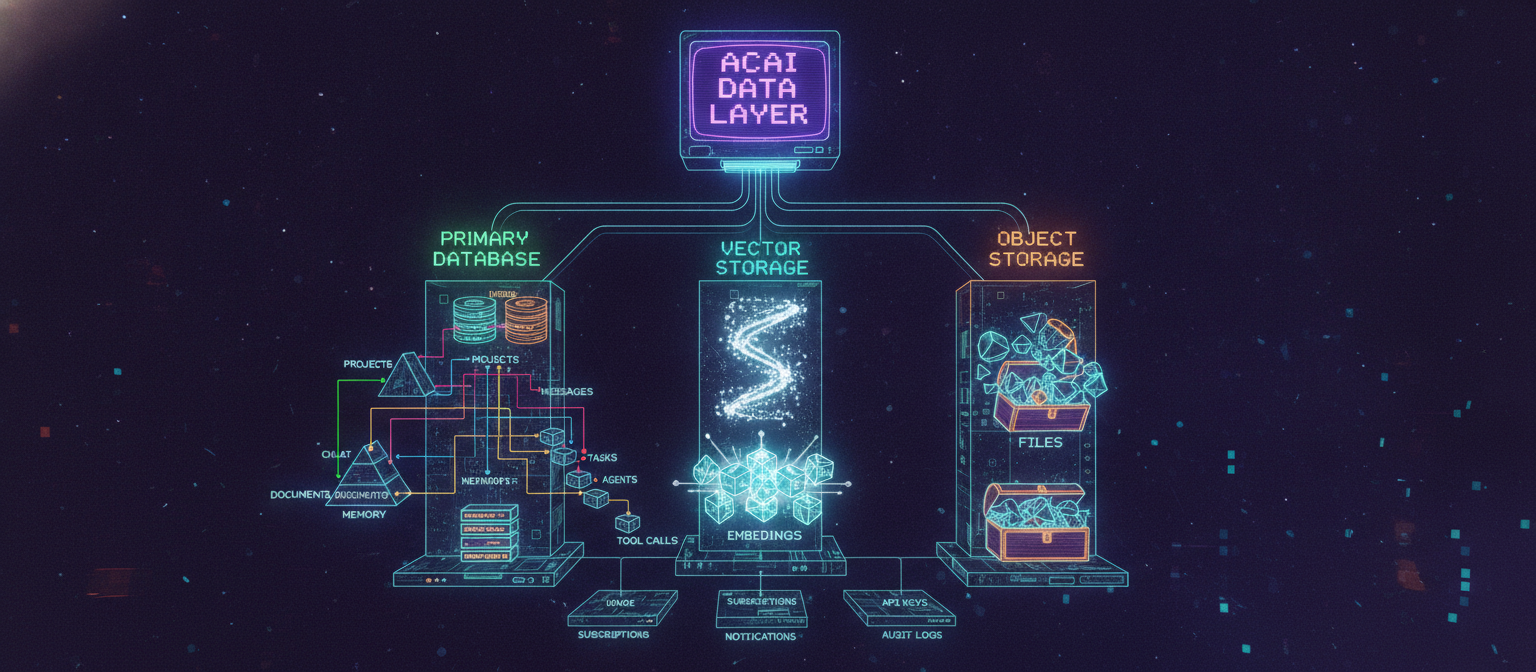
34.62 Final Database Architecture
The ACAI data layer now looks like:
                         ACAI DATA LAYER
                               │
             ┌─────────────────┼─────────────────┐
             ▼                 ▼                 ▼
       PRIMARY DATABASE    VECTOR STORAGE    OBJECT STORAGE
             │                 │                 │
             ▼                 ▼                 ▼
          USERS             EMBEDDINGS          FILES
             │
       ┌─────┼─────┬───────────────┐
       ▼     ▼     ▼               ▼
   PROJECTS CHAT  MEMORY         AGENTS
       │     │                     │
       ▼     ▼                     ▼
     FILES MESSAGES             TASKS
       │                           │
       ▼                           ▼
   DOCUMENTS                     STEPS
       │                           │
       ▼                           ▼
     CHUNKS                    TOOL CALLS
This provides ACAI with a structured foundation for all major application data.
The next stage is to turn this data model into the actual backend schema and database implementation.
END OF CHAPTER 34


Comments
Post a Comment